There's a version of this where you poll an API every few minutes hoping to catch something new, and a version where the source just tells you the second it happens. The second version is what webhook callbacks do — and no, refreshing the page doesn't count as the first version, even if it feels the same. Getting clear on when to use webhooks versus a scheduled sync will save your team a lot of cleanup work later.
TLDR:
- Webhook callbacks are HTTP POST requests that push data to your endpoint the instant an event fires, no polling needed
- Callbacks differ from notifications: they return structured data (UUIDs, URLs) confirming what your system wrote, beyond simply what happened
- Build idempotency into every endpoint: retries are expected behavior, and duplicate events without deduplication create real data problems
- HMAC signature verification appears in 65% of webhook implementations; skipping it leaves your endpoint exposed regardless of URL obscurity
- hotglue fires a webhook callback after each sync job completes, returning UUIDs and direct URLs of every record created or updated
What Is a Webhook Callback?
A webhook callback is an HTTP POST request that a source system sends to a pre-configured URL the moment a specific event occurs. No polling, no waiting. The source pushes data to you automatically.
The distinction matters: with a traditional API call, your system asks for data on a schedule. With a webhook, the source application notifies your endpoint the instant something happens, whether that's a payment completing, a record updating in a CRM, or a sync job finishing on an integration pipeline.
The payload arrives at your endpoint as structured data, typically JSON, and your system processes it from there.
How Webhooks Work: The Event-Driven Mechanic
When an event fires in a source system (a payment confirms, a contact record updates), the system assembles a JSON payload describing exactly what changed and dispatches it immediately via an HTTP POST to your registered endpoint URL.
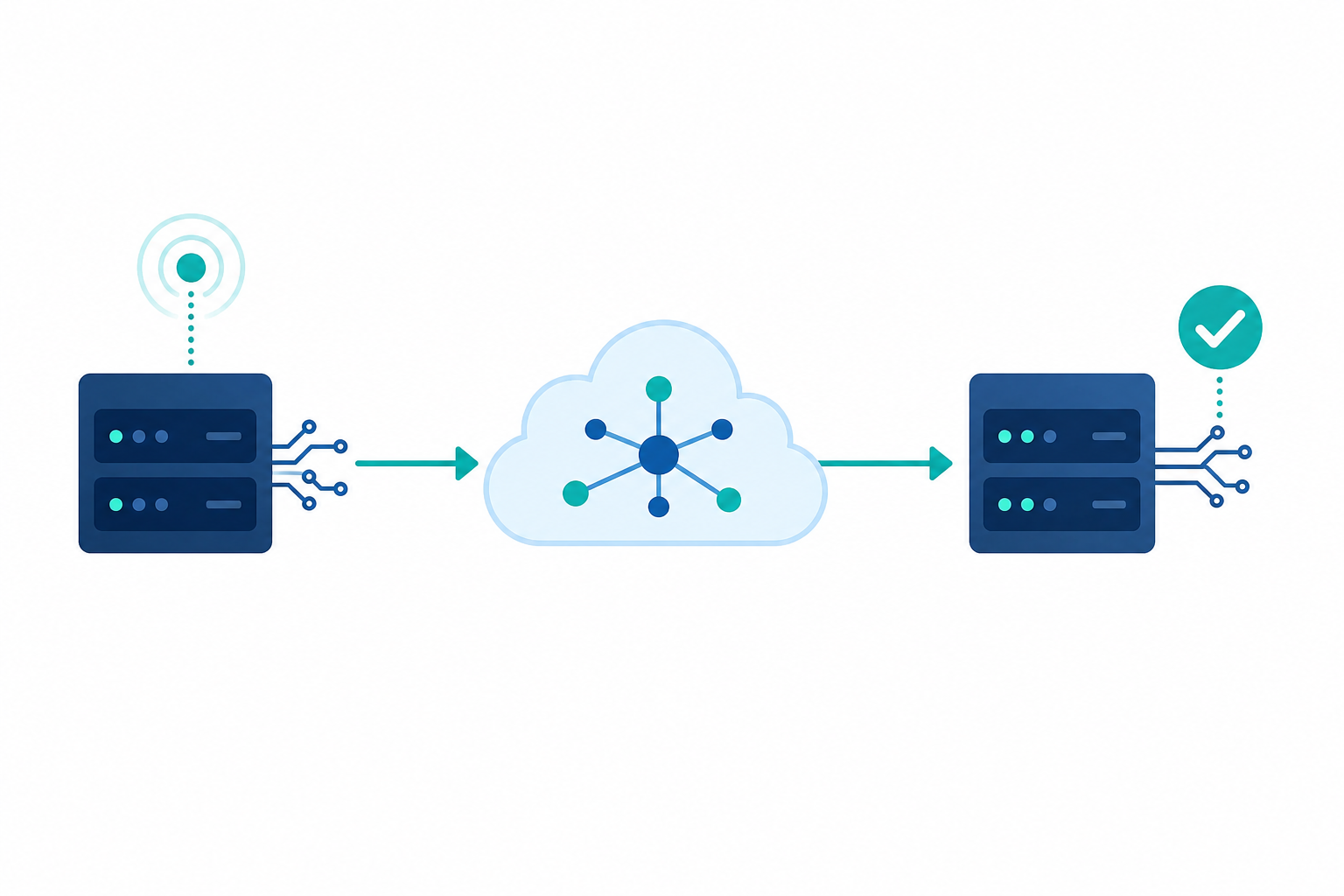
Your endpoint receives the request and returns a 2xx status to acknowledge receipt. That acknowledgment matters: if the source doesn't get one back within its timeout window, it assumes delivery failed and retries.
The sequence, simplified:
- Event occurs in the source system
- Source assembles the event payload
- HTTP POST fires to your registered endpoint URL
- Your endpoint returns
200 OK - Your system processes the payload asynchronously
Processing should happen after the acknowledgment. If your handler does heavy work before responding, you risk timeouts and unwanted retries.
Webhooks vs. Polling: A Practical Comparison
| Factor | Webhooks | Polling |
|---|---|---|
| Trigger | Event-driven: source pushes data the instant something happens | Schedule-driven: your system asks for data at a set interval |
| Latency | Near real-time (seconds) | Up to the polling interval (minutes) |
| API call overhead | None between events; calls only fire when something changes | Constant; calls fire on schedule whether or not data changed |
| Connection model | No persistent connection required between events | No persistent connection required; client opens each call |
| Endpoint requirement | Requires a publicly reachable URL to receive payloads | No public endpoint needed; client initiates all requests |
| Best for | Real-time events: payment confirmed, order shipped, sync job complete | Bulk/historical data, sources with no native webhook support (e.g. QuickBooks Desktop) |
The table above captures the core tradeoff at a glance, but the logic behind it is worth a moment.
Polling asks the same question on a loop: "Has anything changed?" Usually the answer is no, but you've spent an API call finding out. As hookdeck notes, webhooks reverse that direction entirely: the source pushes to your endpoint with no open connection to maintain between events.
The tradeoff is real though. Webhooks require a publicly reachable endpoint. If your consumer is a locked-down client or a browser context without a stable URL, polling may be your only option.
Where Webhooks Fit in a Data Integration Stack
Webhooks occupy a specific lane in a data integration stack. They handle the "act now" moments, not the "move everything" ones.
A complete integration architecture typically layers a few distinct patterns:
- Bulk or historical syncs that pull large record sets on a schedule (ETL pipelines, nightly jobs)
- Incremental scheduled syncs that capture delta changes at a set cadence
- Webhook callbacks that fire immediately when a discrete event occurs
Webhooks belong in the third category. They are the right call when a downstream system needs to respond to a change in seconds, not minutes. When a Shopify order ships or a QuickBooks invoice is marked paid, a webhook gets that signal downstream before the next scheduled sync window even opens.
In most B2B SaaS companies, this sits at the intersection of engineering and product. The CPO or Head of Partnerships defines which events need real-time handling, and the engineering team owns the endpoint infrastructure. Getting those two sides aligned early saves a lot of "why didn't we get notified?" Slack threads later.
What they won't do is backfill two years of transaction history or handle the initial data load when a new tenant connects. That work belongs to scheduled or triggered bulk syncs. Confusing the two leads to either missed historical data or brittle pipelines that depend on every webhook firing perfectly, which they won't.
The practical model: use bulk syncs to build a baseline state, and webhooks to keep it current when precision timing matters.
Common Webhook Use Cases in B2B SaaS
Common webhook use cases in B2B SaaS include:
- A Stripe payment confirms, triggering an invoice creation in QuickBooks Online before the customer closes their browser tab
- A HubSpot contact updates, pushing the change to a downstream billing or onboarding system as part of a bi-directional integration without waiting for the next nightly sync
- A Shopify order ships, firing fulfillment status to a 3PL or ERP in seconds
- A Hotglue sync job completes, returning a webhook callback with UUIDs and direct URLs to the records created or updated, unblocking any workflow that depends on knowing exactly what changed
That last case is worth pausing on. Post-sync confirmation webhooks are common in embedded integration contexts, where a downstream system needs to act on newly synced records right away instead of polling for job completion.
What Makes a Webhook Callback Different from a Webhook Notification
A webhook notification is informational: it tells your system that something happened. A payment was received. A record was created. An order status changed. The source system is broadcasting the event.
A webhook callback is action-driven. It fires in response to a prior action your system initiated, and it returns structured data confirming the outcome: the UUID of the record created, the URL of the destination object, confirmation that the write succeeded. You asked the system to do something; the callback tells you what came back.
The difference matters for integration architects. Notifications are stateless from your perspective. Callbacks carry context, refined through a pre-processing layer, that unlocks the next step in a workflow. If your downstream system needs to reference the exact record ID created in QuickBooks after a sync, a notification won't give you that. A callback will.
Reliability Challenges: Retries, Failures, and Ordering
Webhooks fail more often than demos suggest. Network errors, receiver downtime, and slow handlers all interrupt delivery, and when they do, the source system doesn't wait.
GitHub considers a webhook delivery failed if the response takes more than 10 seconds. Most providers follow similar logic, queuing retries with exponential backoff until a threshold is hit. After that, the event is dropped with no retry, no record, and no warning unless you built multi-tenant sync monitoring around it.
Retries introduce their own problem: out-of-order delivery. A retry of event A can arrive after event B, leaving your system in a state it was never meant to reach. An order marked "shipped" before it's "confirmed" is a trivial example. In financial integrations, the consequences are less trivial.
Failure modes to account for before going to production:
- Network timeouts before your endpoint acknowledges receipt
- Slow handlers that exceed the provider's response window
- Events arriving out of sequence during retry storms
- Silent drops when max retries are exhausted with no alerting in place
Idempotency: Why Your Endpoint Must Handle Duplicate Events
Retries mean the same event will arrive more than once. That's not a bug in the source system; it's how reliable delivery works. Your endpoint needs to handle it.
The standard approach: every webhook payload includes a unique event ID. Before processing, check whether you've already handled that ID. If yes, return 200 OK and do nothing. If no, process it and store the ID.
Without this, a network hiccup during a financial sync can create duplicate invoices in QuickBooks, charge a customer twice through Stripe, or fire the same onboarding workflow twice for a new tenant. None of those are fun support tickets, and "we got charged twice" is not the kind of email your customer success team enjoys opening on a Monday morning.
Store processed event IDs in a fast lookup (Redis or a database index), check on ingestion, and treat duplicate delivery as expected behavior instead of an edge case -- the kind of plumbing developer integration tools should handle for you.
Securing Webhook Endpoints
Any public endpoint that accepts incoming data is an attack surface. Webhook endpoints are no exception, and they're often overlooked because the data appears to come from a trusted source.
Four controls cover most of the risk:
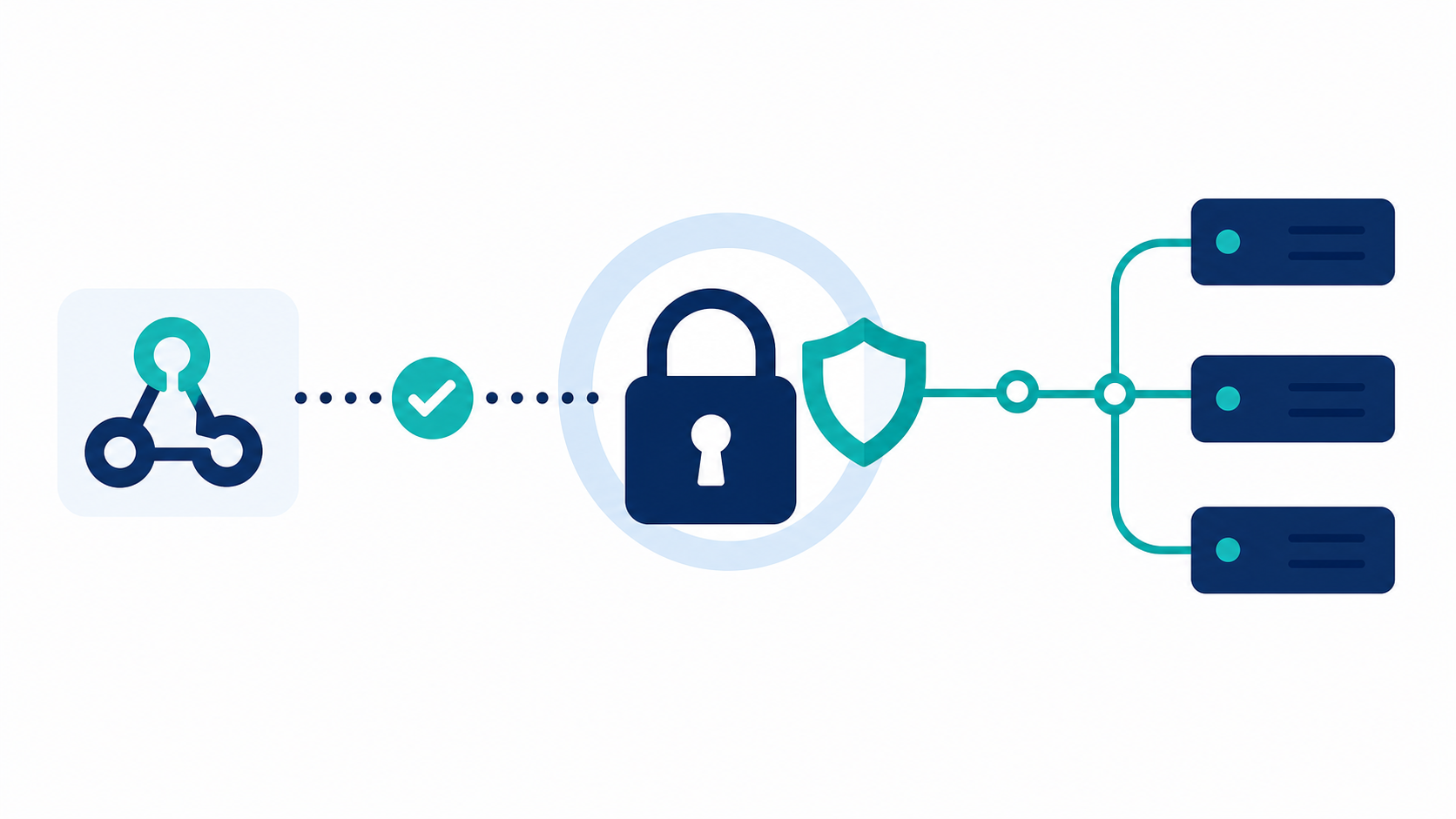
- Require HTTPS. Never accept webhook payloads over plain HTTP.
- Verify the HMAC signature. The sender signs the payload with a shared secret using HMAC-SHA256. Your endpoint recomputes the signature and compares. This method appears in 65% of webhook implementations studied, used by GitHub, Shopify, Stripe, and Slack among others.
- Validate timestamps. Include the request timestamp in the signed payload and reject anything outside a short window (five minutes is common). This blocks replay attacks where a valid captured request gets resent later.
- Reject unverified payloads before processing. Verify first, parse second. Running business logic on an unverified payload defeats the purpose entirely.
The HMAC check is the one teams most often skip under deadline pressure, assuming the endpoint URL itself provides enough obscurity. It doesn't. URLs leak through logs, referrer headers, and third-party monitoring tools. Treat every incoming webhook as untrusted until the signature passes.
When to Use Webhooks vs. Scheduled Syncs in an Embedded Integration
The choice comes down to one question: does missing this event by 15 minutes matter?
If yes, use webhooks. If no, a scheduled sync is simpler to maintain and more reliable at scale. Most production embedded integrations land somewhere in the middle, using both, which is exactly why managing your app integrations in one place matters.
A loose framework:
- Use webhooks when a downstream system must act on an event within seconds (payment confirmed, order shipped, sync job complete)
- Use scheduled syncs for bulk data, historical loads, and any source that lacks native webhook support
- Use both when freshness matters for discrete events but you also need reliable state across the full dataset
That third case is the default for most B2B SaaS integrations. QuickBooks Desktop, Sage 300, and most legacy ERPs have no webhook support at all. Scheduled incremental syncs are your only option there, and they work fine for accounting data where a 15-minute lag is acceptable. Layer webhooks on top for the moments that simply cannot wait.
The maintenance cost of webhooks scales with event volume. Each endpoint needs signature verification, idempotency logic, retry handling, and monitoring. For low-frequency, high-priority events, that overhead is worth it. For high-frequency changes across hundreds of tenants, the infrastructure burden adds up fast -- a cost curve that hotglue's tenant-based pricing model accounts for.
How hotglue Approaches Webhook Callbacks in Embedded Integrations
With hotglue, your product gets the sync result without polling a job status endpoint — the callback carries exactly what you need to unblock the next step in your workflow.
hotglue's scheduling is configurable per connector, so you can run QuickBooks nightly and Salesforce hourly in the same deployment. When those jobs complete, the callback tells you precisely what changed. Partial failures never silently succeed -- if a sync doesn't finish cleanly, hotglue fails the job and preserves state for retry instead of returning a partial result that looks like a success.
At 38,000+ active tenants and roughly 10 billion records processed weekly, that reliability guarantee carries real weight. A silent partial sync at that volume would compound quickly across hundreds of customer accounts. hotglue is also SOC 2 Type II certified and never stores customer data; payloads are processed and delivered, not retained.
For SaaS teams building embedded integrations, the heavy infrastructure work around webhook callbacks (delivery guarantees, job state management, compliance) is handled at the infrastructure level, not something your engineering team builds and maintains per connector.
Final Thoughts on Real-Time Event Handling with Webhooks
Webhooks solve a specific problem well: getting data downstream fast when timing matters. But they come with real tradeoffs your team needs to account for before production, from ordering issues during retry storms to silent drops when max retries are exhausted. The good news is none of this is unsolvable. See how hotglue handles webhook callbacks so your team can skip rebuilding the same infrastructure for every connector.
FAQ
What's the difference between a webhook notification and a webhook callback in an embedded integration context?
A webhook notification is informational: it tells your system an event occurred, like a payment being received or a contact record changing. A webhook callback is action-driven: it fires in response to an action your system initiated and returns structured data confirming the outcome, such as the UUID and direct URL of the record created in QuickBooks Online or Salesforce. If your downstream workflow needs to reference the exact record ID produced by a sync, a notification won't carry that -- a callback will.
When should I use embedded iPaaS webhooks vs. scheduled syncs for real-time data sync across my SaaS integrations?
Use webhooks when a downstream system must act on an event within seconds -- a Stripe payment confirming, a Shopify order shipping, or a sync job completing in an embedded integration. Use scheduled syncs for bulk data, historical loads, and sources like QuickBooks Desktop or Sage 300 CRE that have no native webhook support at all. Most production B2B SaaS integrations run both: scheduled syncs to build a baseline state, webhooks to keep it current for the moments that cannot wait.
How do I let my SaaS customers sync their accounting data without storing it on my servers?
Choose an embedded integration layer that processes and delivers data directly to your destination without retaining it. Hotglue, for example, is SOC 2 Type II certified and never stores customer data; payloads move from source to destination without sitting in a third-party database. This matters most in accounting and finance integrations, where customer data from QuickBooks, Xero, or NetSuite carries compliance weight your engineering team does not want to own.
Can a webhook integration handle duplicate event delivery without creating duplicate records in QuickBooks or Stripe?
Yes, but your endpoint has to be built for it. Every webhook payload should include a unique event ID: check whether you've already processed that ID before running any business logic, return 200 OK if you have, and store the ID after processing if you haven't. Without this idempotency check, a single network hiccup during a financial sync can create duplicate invoices in QuickBooks Online or trigger a Stripe charge twice, and neither makes for a fun support ticket.
What happens when a webhook delivery fails and the source system stops retrying?
Most providers retry with exponential backoff up to a threshold, then drop the event silently with no record and no alert unless you built monitoring around it. GitHub, for instance, considers a delivery failed after 10 seconds with no acknowledgment. The practical fix: acknowledge receipt immediately by returning 200 OK, process the payload asynchronously after, and build alerting around max-retry exhaustion. In embedded integration pipelines where multiple connectors are running across dozens of tenants, a silent drop compounds fast -- which is why Hotglue's guarantee that a partial sync failure never silently succeeds matters at the infrastructure level, and is a core requirement in production.