On-premise ERP integration has a way of turning a 'few weeks of engineering work' into a permanent maintenance job. With Sage 300 in particular, every customer environment is different, upgrades can break syncs without warning, and there's no central API to patch when something changes. Understanding how embedded iPaaS handles this is worth your time if you're building for construction or distribution teams.
TL;DR: Sage 300 has no native REST API and its construction variant (CRE) has no public API at all. An embedded iPaaS with an on-premise agent is the most practical way to integrate it without turning one engineer's side project into your team's permanent maintenance job.
- Sage 300 has no native REST API, so integration requires reaching a server inside your customer's network
- Four integration paths exist: Web Services, Business Objects SDK, direct database access, and third-party connectors
- Sage 300 CRE (the construction variant) has no public API at all, making raw ODBC the only direct access route
- An embedded iPaaS handles on-premise ERP by deploying a local agent, so your backend never needs direct network access
- hotglue's Sage 300 connector installs on-premise, syncs fiscal calendar data, and stays resilient through CRE version upgrades
What Sage 300 Is and Who Still Uses It
Sage 300 is a mid-market ERP from Sage Group covering general ledger, accounts payable, accounts receivable, inventory, and project accounting. It runs primarily on-premise, meaning your customer's data lives on their own servers, not in a cloud instance you can reach with an API key.
The industries that still run Sage 300 heavily include construction, real estate, distribution, and nonprofits. These sectors are not rushing to rip out working financial infrastructure. In construction especially, where project accounting ties directly to job costing and compliance workflows, switching ERPs is a years-long conversation that rarely happens.
Sage 300 persists because it works well enough for the businesses that depend on it, and switching costs are high. Sage positions Sage 300 as its core mid-market ERP for construction, distribution, and professional services, and the product has been deployed across those industries for decades, making it a fixture in customer environments and not a legacy edge case. If your SaaS product serves any of these verticals, there is a real chance Sage 300 is sitting inside your customer's office right now, running their books, and your product needs to talk to it.
Why Sage 300 Integration Is Harder Than Cloud ERP
Cloud ERPs like QuickBooks Online or NetSuite hand you a REST API, OAuth credentials, and a sandbox, unlike on-premise systems such as Microsoft Dynamics, which require VPN or local network access. You authenticate, call an endpoint, and start pulling data. Sage 300 does not work that way.
Base Sage 300 installations have no native REST API. To read or write data, you go through Sage 300 Web Services or the Business Objects SDK, both of which require access to the local environment where Sage is running. Your integration code needs to reach a server sitting inside your customer's network, often behind a firewall or VPN.
This creates a chain of problems: you cannot simply hit an external URL, you may need to negotiate VPN access per customer, and any network configuration change on their end can silently break your sync. Unlike cloud APIs maintained centrally, each customer's Sage 300 setup is its own environment with its own quirks.
Sage 300 Integration Methods: A Side-by-Side Overview
There are four real paths for integrating with Sage 300, and they vary in complexity and ongoing maintenance.
| Method | Access Required | Best For | Main Tradeoff |
|---|---|---|---|
| Sage 300 Web Services (SOAP) | Local network or VPN to Sage server | Reading and writing business objects | SOAP is verbose; setup varies per customer |
| Business Objects SDK | On-site installation on Sage server | Deep ERP operations, custom workflows | Requires local deployment on every customer machine |
| Direct database access | SQL Server credentials, network access | High-volume data reads | Brittle against schema changes on Sage upgrades |
| Third-party connector layer | Varies by provider | Scaled multi-tenant SaaS integrations | Depends on connector quality and maintenance |
Web Services is the most common starting point, but SOAP-based calls against a local service mean every customer environment needs its own configuration, a contrast to cloud systems like the NetSuite connector. The Business Objects SDK gives you more control but requires installing and maintaining software on the customer's machine. Direct database reads are tempting for speed, but Sage 300's schema can shift across versions, breaking queries without warning. Third-party connector layers are designed to abstract these problems away from the SaaS product team so you are not managing four different customer-specific setups in parallel.
The On-Premise Problem: What Changes When Your Customer's ERP Lives Behind a Firewall
When a customer runs Sage 300 on-premise, the integration problem moves from an API question to an infrastructure one. You are no longer writing code that calls a URL. You are writing code that needs to physically reach a server inside someone else's building.
The practical answer is an agent or local proxy installed on the customer's machine or network. This agent handles communication with Sage 300 and relays data outward to your system. It works, but now you have deployed software to maintain on every customer site.
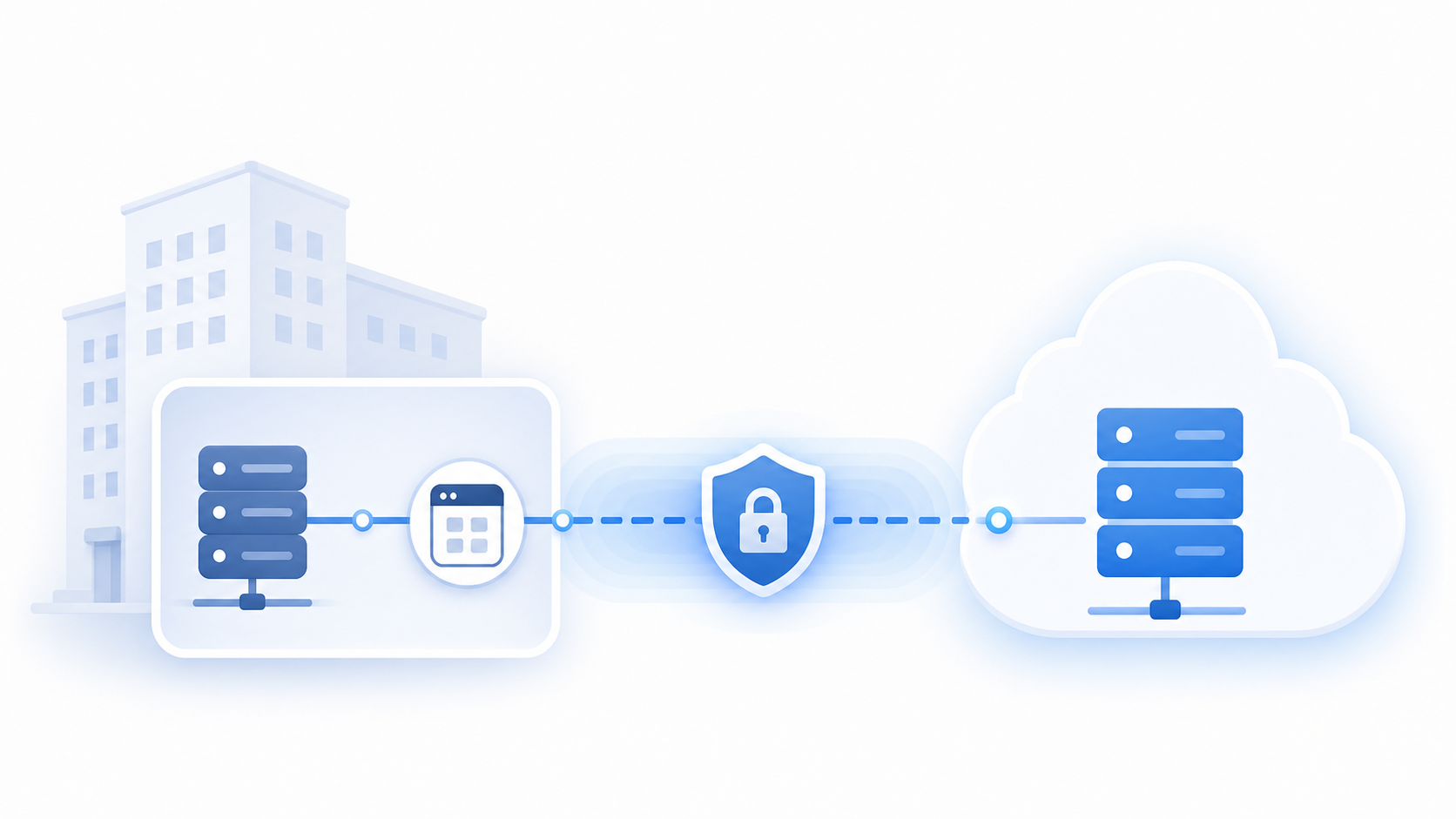
That deployment reality compounds fast. One customer upgrades their Sage 300 version, another changes their SQL Server configuration, a third adds a firewall rule. Each of these can break a sync silently, and you find out when the customer emails asking why their data is stale. With cloud ERPs like those behind the QuickBooks connector, a vendor API change is one fix for everyone. With on-premise, a configuration drift at one customer site is your problem to diagnose remotely, with limited access.
Onboarding gets harder too. Getting a customer live requires someone to install software on the customer's machine, verify network access, and confirm the agent is connecting correctly. For construction or real estate SaaS teams, this workflow needs to be repeatable and well-documented, not a custom firefight each time, which is why it pays to think through ERP integration planning before committing engineering time.
Sage 300 CRE: The Construction and Real Estate Variant
Sage 300 CRE is technically a different product than Sage 300 core, despite sharing a name. Originally Timberline Office before Sage acquired it, it was built exclusively for construction and real estate workflows: job costing, subcontractor management, project billing, and compliance reporting. The underlying architecture reflects that history. It is not a standard Sage 300 installation with construction modules added on top.
The most immediate consequence for SaaS teams: Sage 300 CRE has no public API. No REST interface, no Web Services layer comparable to Sage 300 core. Data lives in a proprietary file-based format on the customer's local machine or server, leaving two real options for accessing it: direct database reads through an ODBC driver, or an on-premise connector that installs on the customer's machine and handles extraction directly.
ODBC access works, but it is fragile. The schema is undocumented in places, field names shift across CRE versions, and Sage does not guarantee backward compatibility, a good example of why ERP integrations are harder than they look. Any connector built on raw ODBC is one Sage upgrade away from a broken sync.
For construction SaaS teams, this matters because your customers are not going to switch off Sage 300 CRE. Job costing history, certified payroll records, and subcontractor lien waivers are tied to that system. The realistic path is building an integration that installs on-premise, connects directly to the database, and stays resilient when the underlying CRE version changes. That resilience has to be engineered deliberately, not assumed.
What Data Can You Actually Sync With Sage 300
The table covers the core entities your integration might touch. Most teams start on the read side: pulling GL accounts, open invoices, and vendor records into their product for reporting or reconciliation. That covers a lot of ground, but read-only integrations have a ceiling.
If your product needs to push bills back into Sage 300 after approving them, or create purchase orders from within your UI, you need write support too. Some connector approaches give you read access through ODBC or Web Services but leave writes out entirely. For SaaS products that want to be the system of action and more than a pure reporting layer, that gap matters.
Fiscal calendar and reporting period data are worth calling out separately. Hotglue's Sage 300 connector syncs fiscal calendar data, giving finance teams the context they need to align transactional records against the right accounting periods. It sounds minor until your customer's month-end close produces a mismatch.
| Entity | Read | Write |
|---|---|---|
| GL accounts | Yes | Varies by method |
| Vendors | Yes | Yes |
| Customers | Yes | Yes |
| AP bills | Yes | Yes |
| AR invoices | Yes | Yes |
| Purchase orders | Yes | Yes |
| Inventory | Yes | Yes |
| Fiscal calendar data | Yes | No |
| Reporting periods | Yes | No |
Building a Sage 300 Integration In-House vs. Using an Embedded iPaaS
Building a Sage 300 connector in-house feels reasonable at first. Assign an engineer, spend a few weeks, ship it. The problem is that "done" is not a state that on-premise ERP integrations reach — it's more of a direction they slowly walk away from, usually in the direction of your on-call schedule.
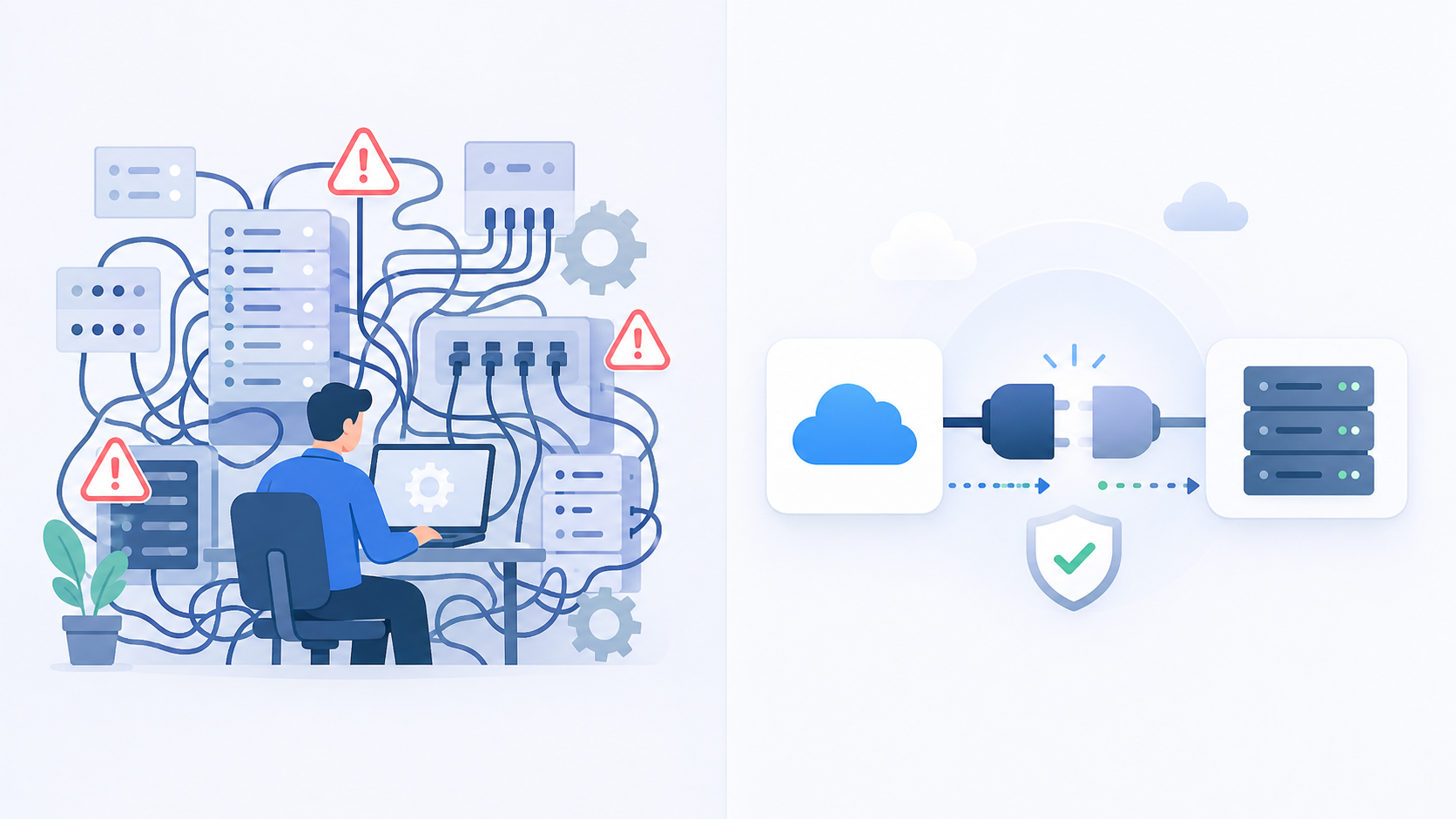
The initial build is the easy part. What follows is schema drift across Sage 300 versions, ODBC driver quirks per customer environment, on-premise agent deployments that need updating when a customer upgrades their server, and the occasional emergency when a customer's IT team changes a firewall rule without telling anyone.
There is also an organizational question worth considering. Who owns the connector six months after the engineer who built it moves to a different project? On-premise connectors are not self-documenting, and the institutional knowledge behind a specific field mapping tends to walk out the door with them.
An embedded iPaaS offloads that maintenance surface. The connector is actively maintained against Sage version changes, and the on-premise agent deployment becomes someone else's documented, repeatable process. Your engineers spend time on your product instead, which, if you're a CPO or Head of Partnerships owning this decision, is exactly the kind of time-back-to-your-team result that makes the switch worth it.
The real tradeoff:
- In-house gives you maximum control over a connector you fully own, but your team absorbs every upgrade cycle, driver quirk, and version mismatch that follows.
- Embedded iPaaS gives you a connector that stays current without your engineering team carrying the ongoing cost. For most teams, the tradeoff is straightforward: the control you give up is mostly control over maintenance tasks nobody wanted in the first place.
For most B2B SaaS teams, the math on engineering hours versus connector maintenance tips toward delegation well before the first Sage upgrade cycle hits, which is exactly the tradeoff covered in this in-house vs embedded iPaaS framework.
How Embedded iPaaS Handles On-Premise Accounting Systems
An embedded iPaaS sits inside your SaaS product, not a separate tool your team manages independently. Your customers connect their systems through your UI, and the integration layer handles authentication, sync orchestration, and data delivery behind the scenes. For cloud systems, this works through standard API calls. For on-premise ERP like Sage 300, the architecture has to account for the fact that there is no public endpoint to call.
The solution is a local agent. The embedded iPaaS deploys a lightweight connector onto the customer's machine or server, close to where Sage 300 is running. That agent connects to Sage 300 directly and relays data outward through a secure channel to the iPaaS layer, which routes it to your product. Your backend never needs direct network access into the customer's environment.
This buys you abstraction at every layer that would otherwise fall on your engineering team:
- Firewall traversal is handled by the agent's outbound connection, so your team does not negotiate per-customer VPN configurations.
- Version differences across Sage 300 installations are managed at the connector level, not patched per-customer in your codebase.
- Agent updates deploy without requiring your team to coordinate access to each customer's server.
- Onboarding becomes a documented, repeatable process instead of a custom setup each time.
Your engineers ship the integration once and maintain it at the connector level, not across dozens of distinct customer environments. When Sage releases a new version, the connector update propagates to customers without your team individually diagnosing each site.
hotglue's Approach to Sage 300 Integration
The Sage 300 CRE connector installs directly on-premise and connects to the local database, so there is no requirement for a public API endpoint. It is built to stay resilient through software updates, meaning a CRE version upgrade on a customer's server won't silently break their sync. For UK customers running Sage 200 integration, hotglue handles this through a cloud proxy, keeping the on-premise architecture intact without requiring a direct network connection from your backend.
The connector is also designed to handle multi-company Sage 300 setups, where a single customer runs separate company databases under the same installation, a common pattern in construction and real estate holding structures.
Sage 300 sits within a library of 650+ open-source connectors, including the Sage 50 UK connector, all forkable if your team needs to extend behavior. Pricing runs on active tenants, not data volume, which matters when syncing large ERP datasets. If you need a connector that isn't in the catalog, hotglue can typically stand one up quickly from the point of receiving sandbox access, so confirm the timeline for your specific system before committing.
The infrastructure runs at production scale: 38,000+ active tenants and roughly 10 billion records processed weekly, numbers worth weighing against the real cost of maintaining integrations in-house. For a CPO weighing whether an embedded iPaaS can handle the full load of on-premise ERP integrations across a growing customer base, that number tells the story.
Final Thoughts on Sage 300 and On-Premise ERP Integration
If your customers run Sage 300, you're dealing with on-premise infrastructure whether you planned for it or not. The path forward is building an integration that stays resilient across CRE versions and customer environments, without asking your engineers to maintain a different configuration for every site. hotglue is the best solution on the market for this: an on-premise agent that handles firewall traversal, a connector that survives Sage version upgrades without breaking, fiscal calendar sync baked in, and pricing based on active tenants rather than data volume — all maintained by a team whose entire job is keeping these connectors current so yours doesn't have to be. That's a solvable problem when the right architecture is in place. See how hotglue approaches it before your team commits to building and owning a connector from scratch.
FAQ
How do I add Sage 300 CRE integration to my construction or real estate SaaS product?
Sage 300 CRE has no public API, so the only viable paths are ODBC-based database reads or an on-premise connector that installs directly on the customer's machine. Raw ODBC works initially but breaks across CRE version upgrades because the schema is undocumented in places and Sage does not guarantee backward compatibility. Hotglue's Sage 300 CRE connector takes the on-premise approach, installing locally and connecting directly to the database with built-in resilience to software updates, so a version upgrade on a customer's server does not silently break their sync.
What does embedded ETL mean and how is it different from a traditional iPaaS for SaaS products?
Embedded ETL sits inside your SaaS product so your customers connect their systems through your UI, while the integration layer handles extraction, transformation, and data delivery behind the scenes. A traditional iPaaS is typically a standalone tool your team operates separately, often exposed to end users as a third-party experience and not a native part of your product. The practical difference for a CPO is that embedded ETL ships as a feature your customers use inside your product, not a bolt-on they have to log into elsewhere.
Should I build a Sage 300 integration in-house or use an embedded iPaaS for my B2B SaaS product?
Build in-house if you need maximum control over a connector your team will own and maintain through every Sage upgrade cycle, ODBC driver quirk, and per-customer environment change. Use an embedded iPaaS if your engineers should be building your product instead of diagnosing why a firewall rule change at a customer's construction office broke a sync at midnight. For most B2B SaaS teams, the ongoing maintenance cost of on-premise ERP connectors tips the math toward delegation well before the first Sage version upgrade lands.
How does an on-premise ERP connector handle firewall and network access without requiring VPN setup per customer?
A local agent installs on the customer's machine or server, connects directly to Sage 300, and relays data outward through a secure channel to the integration layer, which routes it to your product. The agent's outbound connection handles firewall traversal, so your backend never needs direct network access into the customer's environment and your team is not negotiating per-customer VPN configurations. When the agent needs updating, it deploys without your team coordinating access to each customer's server individually.
How quickly can Hotglue build a new connector if my customer uses a system that isn't in the existing library?
Hotglue can typically stand up a new connector within one to two weeks from the point of receiving sandbox access to the target system. The 650+ connector library covers the most common ERP, CRM, and e-commerce systems, but for bespoke or industry-specific platforms, the build timeline is fast enough that it rarely becomes a blocker in a sales cycle. Custom connector builds carry a one-time build fee with ongoing maintenance included, so your team is not absorbing the cost of keeping it current as the third-party API changes.