Sage 300 CRE integration gets asked about in nearly every construction or real estate deal, and it trips up a lot of SaaS teams because on-premise accounting doesn't work like the cloud ERPs you're used to. No API, no credentials and a URL, just a local database sitting inside a customer's network. This post breaks down how the architecture works and what integration approach actually holds up in production.
TLDR:
- Sage 300 CRE runs on a local Pervasive database with no REST API, making it harder to connect than any cloud ERP
- Skipping Sage 300 CRE integration caps your addressable market in a construction software space worth over $11B in 2025
- On-premise agents are the most reliable integration approach, handling network traversal and surviving Sage version updates
- Sage 300 CRE and Sage Intacct Construction require completely separate integration paths despite sharing a brand name
- hotglue's on-premise connector installs on the customer's machine, manages schema drift, and goes live in one to two weeks
What Sage 300 CRE Is and Who Still Uses It
Sage 300 CRE, originally known as Timberline, has been in the construction accounting space since 1976. Decades later, it remains one of the most widely used financial management systems for mid-to-large construction firms and property managers, covering job costing, accounts payable, payroll, and project accounting in a single on-premise installation. The typical Sage 300 CRE customer is a general contractor, specialty subcontractor, or commercial real estate operator running between $10M and $500M in annual revenue, large enough to need full project accounting but not large enough to warrant migrating off a system that already works.
The user base skews toward contractors, developers, and real estate operators who built their financial workflows around Sage 300 CRE years ago and have little appetite to migrate. For any SaaS product selling into construction or real estate, your customers are almost certainly running Sage 300 CRE on a local server somewhere.
Why Construction and Real Estate SaaS Products Need Sage 300 CRE Integration
Construction and real estate buyers follow a pattern we've seen repeatedly in deals: they review your SaaS product, like what they see, then ask whether it connects to Sage 300 CRE. If the answer is no, the deal often stalls. Sage 300 CRE is the financial system of record for a large portion of this market, and your product's data only matters to these buyers if it can flow in and out of that system.
The stakes are real. The global construction and design software industry generated over $11 billion in revenue in 2025, and because these systems are deeply embedded in how firms run their financials, they are not switching their accounting systems anytime soon. A SaaS product that skips Sage 300 CRE integration is voluntarily capping its addressable market in one of the largest software categories around, a reminder that ERP integrations are harder than expected.
The need goes beyond checkbox compatibility. Construction buyers want job costs, subcontractor commitments, and AP data to stay in sync between your product and their accounting system. Without that, your product creates a parallel data silo, which is the last thing a CFO at a construction firm wants to manage.
What Data Lives in Sage 300 CRE That SaaS Products Actually Need
Sage 300 CRE organizes financial data across several distinct modules. The ones SaaS products most commonly need to read or write are:
- Job costing (cost codes, cost types, committed costs, actual costs)
- General ledger (chart of accounts, journal entries, fiscal periods)
- Accounts payable (vendors, invoices, payments)
- Accounts receivable (contracts, billing, receipts)
- Subcontract management (subcontracts, change orders, compliance status)
- Payroll (employee records, pay history, certified payroll)
- Project budgets and budget revisions
Which modules matter depends on your product. A field management tool typically needs job costing and budgets. An AP automation product needs vendors and invoices. Knowing the relevant modules upfront saves considerable scoping time when assessing connector coverage.
Sage 300 CRE vs. Sage Intacct Construction: Why the Distinction Matters for Integration
Sage 300 CRE and Sage Intacct Construction share a brand name and a target market, but the integration architecture required for each is completely different. Confusing the two is an expensive mistake.
Sage Intacct Construction is cloud-native with a well-documented REST API. Building an integration against it looks like most other SaaS API work: OAuth, JSON, standard HTTP calls, though teams still run into issues like missing Sage Intacct period-close data. Sage 300 CRE runs on Windows servers, stores data in a Pervasive database, and has no REST API. Those are not variations of the same problem.
| Feature | Sage 300 CRE | Sage Intacct Construction |
|---|---|---|
| Deployment | On-premise (Windows server) | Cloud-native (SaaS) |
| Database | Pervasive/PSQL (local) | Cloud-hosted |
| Integration method | ODBC driver or on-premise agent | REST API |
| Authentication | Database credentials (local) | OAuth |
| Network access | Behind customer firewall | Public cloud endpoint |
| Connector reusability | Separate path required | Separate path required |
The practical consequence for SaaS teams: a connector built for Sage Intacct will not work for Sage 300 CRE customers, and vice versa. If your target market includes both, you need two separate integration paths. Many product teams run into this mid-build, which is a painful time to find out.
The On-Premise Architecture Problem: Why Sage 300 CRE Is Harder to Integrate Than Cloud ERPs
Sage 300 CRE runs on a Pervasive/PSQL database engine sitting on a Windows server inside a customer's network. There is no REST API, no webhook, no cloud endpoint to call. Data access goes through an ODBC driver, which means your connector needs to live on or near that machine to query it.
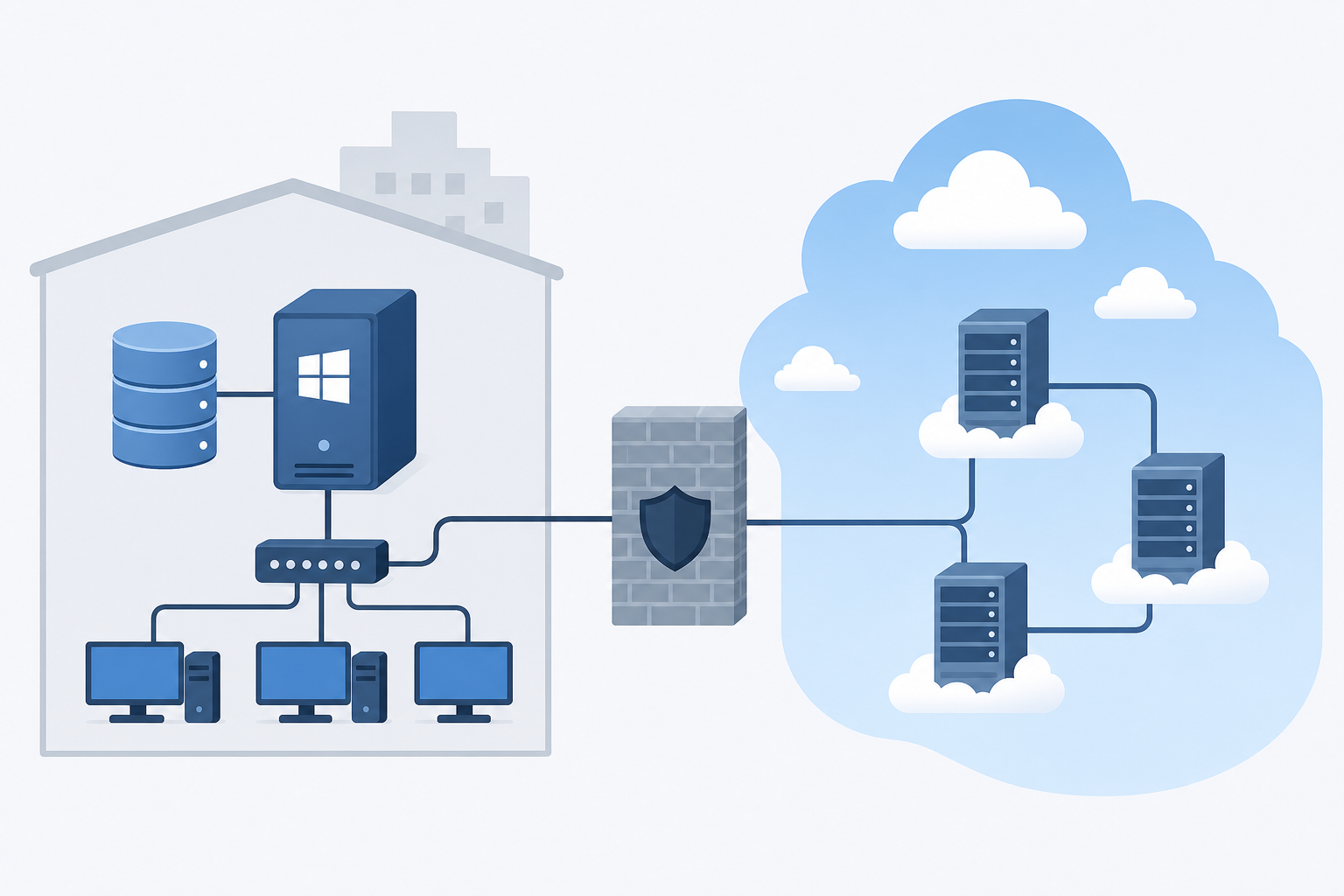
That creates four compounding problems:
- The server sits behind a firewall your SaaS product cannot reach from the outside
- Driver installation requires direct access to the customer's machine
- Schema can shift across Sage 300 CRE version updates, breaking queries silently, which is why connector maintenance after API changes deserves a deliberate process
- Each customer's file paths, database names, and network configuration differ
Cloud ERPs hand you credentials and a URL. Sage 300 CRE hands you a local database and wishes you luck. (It does not, in fact, wish you luck. It just sits there.)
Integration Approaches for Sage 300 CRE: ODBC, SDK, and On-Premise Agents
Three approaches exist for connecting to Sage 300 CRE, each with different speed, cost, and maintenance tradeoffs before you commit to one.
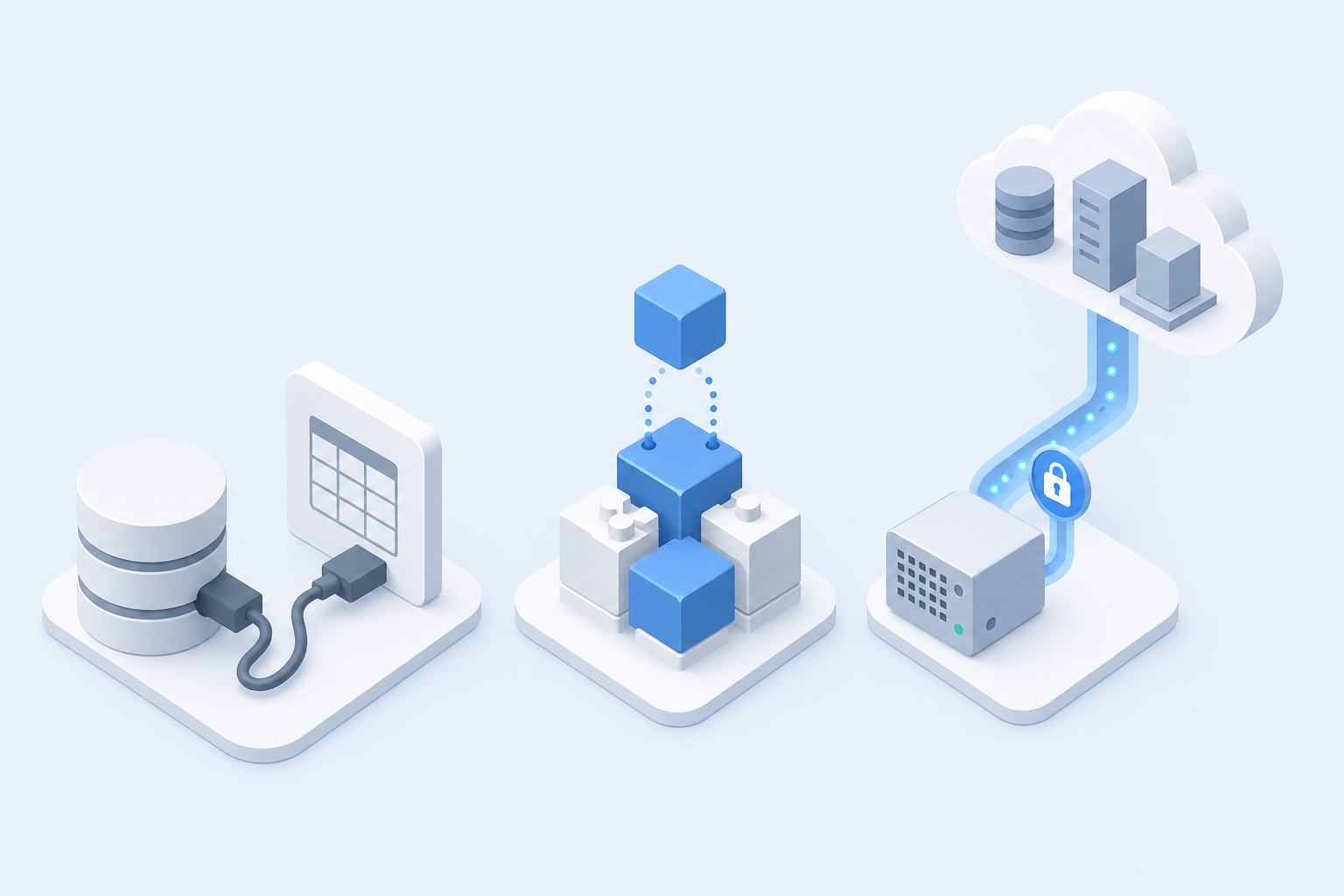
- ODBC access queries the Pervasive database directly via SQL. It works for simple use cases, but it's slow, fragile across version updates, and requires the connector to sit inside the customer's network.
- Sage's developer SDK offers more structured access but adds implementation complexity and ties you to Sage's release cycle.
- On-premise agents install on the customer's machine, connect locally to the database, and relay data outward to your cloud infrastructure. The agent handles network traversal, and a well-built one survives Sage version updates without breaking.
The ODBC route is common for one-off reporting tools. For a production SaaS integration that needs to stay live across customer environments and software updates, the on-premise agent approach holds up far better over time, a tradeoff worth weighing using a proper in-house vs. embedded iPaaS decision framework.
What Data Flows Are Most Commonly Built for Sage 300 CRE
Most Sage 300 CRE integrations fall into a short list of patterns, and knowing which one fits your product saves weeks of scoping.
- Sync job costs and budget actuals into project management or field tools so crews see live numbers without logging into accounting
- Push vendor invoices and AP transactions from field operations software back into Sage, where data accuracy matters most
- Pull subcontract commitments and change orders into compliance or risk products for audit trails and exposure tracking
- Export payroll and certified payroll data into workforce management tools to meet prevailing wage requirements
- Read GL accounts and fiscal periods to map transactions correctly before any write operation runs
Job costing sync is the most requested by volume. Start with whichever flow is actively blocking deals, much like putting a NetSuite connector build first when that system is the deal blocker instead.
Native vs. Connector vs. Middleware: Choosing an Integration Architecture
Three paths exist for delivering Sage 300 CRE integration to your customers, and each carries a different long-term cost. At most B2B SaaS companies, this decision lands on the CPO or Head of Product, because you're the one who has to weigh engineering capacity against roadmap velocity and customer retention risk. Your engineering lead will implement it; you'll own the consequences either way.
Building natively means your engineering team owns the ODBC queries, the on-premise agent, the schema mapping, and every fix when Sage ships a version update, which is the opposite of ERP integrations without the engineering burden. You get full control, and full responsibility for keeping it alive.
Middleware tools often work well for internal IT data pipelines, but they were not designed to be embedded inside a SaaS product. End-user authentication, multi-tenant isolation, and white-label presentation become your problem to solve on top of the middleware layer.
Embedded connectors, built for SaaS product teams, handle the on-premise complexity while sitting inside your product as a native experience. The connector installs on the customer's machine, manages the ODBC connection locally, and feeds data to your cloud infrastructure without exposing your team to every version change Sage ships.
The real question is which option your team can realistically maintain across dozens of customer environments, each running a slightly different version of Sage 300 CRE with different file paths and network configurations. One customer variation can quietly consume months of engineering time if you built natively without accounting for that variance upfront, which is exactly what drives up the real cost of maintaining integrations.
Authentication and Credential Handling for On-Premise Sage 300 CRE
Sage 300 CRE has no OAuth flow. Authentication means database credentials: a username, password, and connection string pointing to the Pervasive database on the customer's local server.
For an embedded integration, that creates an onboarding question worth solving early. The on-premise agent handles it by accepting credentials locally during installation, then authenticating to the database from within the customer's network. Your cloud infrastructure never stores or touches the raw credentials directly. The agent holds the connection, queries locally, and relays data outward over an encrypted channel.
From the end user's perspective in your product, this looks like a guided setup flow: they install a small agent, enter their Sage credentials once, and the connection is live. The credential handling complexity stays on the agent side, not exposed in your UI.
Keeping a Sage 300 CRE Integration Current After Go-Live
Sage releases version updates on its own schedule, and each one can alter database schemas, rename fields, or deprecate ODBC columns your connector depends on. For SaaS teams maintaining Sage 300 CRE integrations in-house, that means periodic breakage across customer environments with no warning.
The harder problem is version spread. Your customers will not all upgrade at the same time, so supporting multiple active Sage 300 CRE versions simultaneously, each with slightly different schemas and file paths, compounds fast. Schema drift is quiet until it surfaces as a failed sync in production, typically at 11pm on a Friday. Teams that built natively often end up version-pinning connectors per customer, creating a maintenance matrix that grows with every new customer onboarded.
How hotglue Handles Sage 300 CRE Integration for B2B SaaS Teams
hotglue's Sage 300 connector installs directly on the customer's machine, connects to the local Pervasive database, and is built to survive Sage version updates without breaking. The on-premise agent handles credential storage and ODBC queries locally, then relays data to your cloud infrastructure over an encrypted channel. Your engineering team never has to touch schema drift or version spread.
When Sage ships an update, hotglue's integrations team monitors the change and migrates the connector. That maintenance burden stays with us, not you.
The architecture runs across 38,000+ active tenants processing roughly 10 billion records weekly, so this is not experimental. For a CPO weighing build vs. buy: building natively means owning every version matrix across every customer environment. With hotglue, a new connector goes live in one to two weeks, priced per active tenant and not by data volume, making it the most practical embedded integration platform for B2B SaaS teams that need on-premise ERP coverage without the ongoing maintenance tax. See the full breakdown in Hotglue vs Merge for ERP sync.
"Hotglue gives engineers more control, not less, while eliminating the hidden ongoing maintenance costs that quietly consume months of engineering time."
Final Thoughts on Sage 300 CRE Integration for B2B SaaS Teams
Construction buyers are not switching their accounting systems, so your product needs to meet them where they are. The on-premise architecture of Sage 300 CRE makes that harder than a typical API integration, but it is a solvable problem with the right setup. See how hotglue approaches it before your team spends months building something that breaks on the first Sage version update.
FAQ
How do I add Sage 300 CRE integration to my construction or real estate SaaS product?
The most reliable path is an on-premise agent that installs on the customer's Windows server, connects to the local Pervasive/PSQL database via ODBC, and relays data to your cloud infrastructure over an encrypted channel. Building this natively means your team owns schema mapping, credential handling, and every fix when Sage ships a version update. hotglue's Sage 300 CRE connector handles all of that out of the box, with a new connector live in one to two weeks from the start of the process.
Sage 300 CRE vs. Sage Intacct Construction: can I use the same integration connector for both?
No, these require two completely separate integration paths. Sage Intacct Construction is cloud-native with a REST API, while Sage 300 CRE runs on a local Windows server with a Pervasive database and no API at all. If your target market includes both, you need two connectors built against fundamentally different architectures.
What data from Sage 300 CRE do construction SaaS products most commonly need to sync?
Job costing (cost codes, committed costs, and budget actuals) is the highest-volume request by far, followed by AP data (vendors and invoices), subcontract commitments, and GL accounts for transaction mapping. Which modules you need depends on your product category: field management tools typically put job costing and budgets first, while AP automation products focus on vendors and invoice data.
How does an on-premise Sage 300 connector handle version updates without breaking production syncs?
Sage version updates can rename fields, alter database schemas, or deprecate ODBC columns without warning, and your customers will not all upgrade at the same time, which creates a version spread problem fast. hotglue's integrations team monitors Sage releases and migrates the connector proactively, so the maintenance burden never lands on your engineering team or surfaces as a silent sync failure in a customer environment.
Should I build a Sage 300 CRE integration natively or use an embedded connector?
Build natively only if your team is prepared to own the full maintenance matrix: ODBC queries, schema drift across Sage versions, per-customer file path variations, and credential handling across dozens of environments. For most B2B SaaS teams, that overhead quietly consumes months of engineering time per year. An embedded connector like hotglue's handles the on-premise complexity while sitting inside your product as a native experience, priced per active tenant and not by data volume.