Airwallex Yield is a smart way to earn returns on idle balances, but finance teams with multiple accounts across different currencies tend to hit the same wall: a USD Yield account and a EUR operating wallet landing in incompatible GL formats, turning what should be a routine month-end close into a manual reclassification job. A little structure upfront makes the whole thing much more manageable.
TLDR:
- Automated reconciliation can sharply cut month-end close times vs. manual statement downloads
- Yield accruals don't map to standard transaction types, so you need a dedicated interest income GL account
- Run balance syncs hourly for visibility, but keep transaction history syncs on a separate close-aligned cadence
- Native Airwallex integrations cover the primary account well, but multi-currency Yield setups need extra mapping work
- hotglue's Airwallex connector syncs Yield balances and transaction history, and lets customers map Yield accounts to GL accounts in the widget
What Airwallex Yield Accounts Are (and Why Finance Teams Care)
Airwallex Yield is a cash management product that lets businesses earn returns on idle balances sitting inside their Airwallex accounts. No lock-up periods, no term deposit restrictions. Funds stay accessible while still generating yield.
Airwallex launched Yield in the U.S. as a way for finance leaders to earn competitive returns on idle funds within Airwallex. Depending on the market, Yield supports multiple currencies including AUD, USD, GBP, EUR, and HKD, making it a natural fit for companies with revenue across several regions.
For a SaaS company collecting payments in multiple currencies, the practical result is often several distinct Yield accounts, each holding a different currency balance. That structure makes sense for treasury management, but it gets complicated when finance teams need to pull all of that data into their general ledger or reporting stack via an Airwallex connector. Multiple accounts, multiple currencies, and multiple balance snapshots create a real integration challenge that a single CSV export was never designed to solve.
The Multi-Account Sync Problem in Financial Data Integration
Managing one account's data flow is annoying. Managing five is a different job entirely, and somehow, it's always the finance lead's problem, not the person who decided to open five accounts. In practice, the implementation and ongoing management typically falls to whoever owns your financial data stack: usually a Head of Finance, RevOps lead, or increasingly, the CPO or Head of Partnerships when financial integrations are part of the product itself.
When a business runs multiple Yield accounts alongside operating wallets, expense cards, and other banking tools like a Bill.com connector, the integration surface multiplies fast. Each account has its own balance history, transaction feed, and currency denomination. None of them talk to each other natively, and your general ledger won't match them up automatically.
The real cost adds up fast. Finance teams manually downloading statements, cross-referencing currency positions, and mapping transactions to GL accounts pay that cost every month-end, and automated reconciliation can shorten close times considerably.
Multi-account sync compounds this because the accounts don't share a common schema. A Yield account in USD has a different data shape than an operating wallet in EUR, and your accounting system expects both to land in a consistent format, which is exactly the gap a unified accounting API is built to close.
What Data Lives Inside Airwallex Yield Accounts
Before mapping anything, you need to know what you're working with.
Airwallex Yield accounts surface several distinct data objects, and each one behaves differently in an integration context:
- Balance snapshots: point-in-time readings of the account's current value, in the native currency of that Yield account
- Transaction history: individual credit and debit events, each with a timestamp, amount, and transaction type
- Yield accruals: earned return entries that accumulate over time, separate from your operating transactions
- Account metadata: currency denomination, account ID, and region, which you'll need to route data correctly across multiple accounts
The accrual entries deserve specific attention. Yield income isn't a payment or a transfer, so it doesn't map cleanly to standard transaction types your GL already recognizes. Most accounting systems want to see it land in an interest income account, but that requires a deliberate mapping decision, not a default.
The Airwallex API exposes GL account objects as a first-class resource. When syncing Yield data downstream, the API lets you create and manage GL account mappings programmatically, giving you control to route each Yield account's data to the right ledger line without manual reclassification later.
How Airwallex Integrates with Accounting Software
Airwallex ships several native accounting connections out of the box. The NetSuite integration, for example, syncs bank feeds and expenses hourly.
These native integrations cover the most common use case: one business, one accounting system, one connection. They handle bank feed sync, expense categorization, and basic GL mapping well enough for straightforward setups.
Where teams often need more is multi-account complexity. When Yield accounts enter the picture across multiple currencies, each account's data still needs a deliberate route to the correct ledger destination. That mapping work usually falls to whoever owns your books.
Third-party integration tools fill a different role. Instead of connecting Airwallex directly to your accounting software, they sit in between, pulling raw data via API, applying transformation logic, and delivering it in whatever schema your GL expects, similar to how teams integrate QuickBooks with a SaaS platform. For SaaS products embedding financial data workflows for their own customers, this distinction matters: native integrations serve a single account holder, while embedded data integration handles the multi-tenant, multi-account scenarios that native connections were never designed for. That tradeoff is worth weighing before you build ERP integrations.
GL Account Mapping for Yield Accounts: Getting It Right the First Time
Yield accounts need their own GL entries. Mapping them to an existing bank account line already tied to Mercury, Stripe, or another payment tool creates a reconciliation mess that's hard to unwind mid-quarter.
The core issue is that Yield balances represent invested funds, not operating cash. Lumping them into a general cash account understates liquidity risk and misrepresents your balance sheet. Yield accruals need to land in an interest income account, not a revenue or payment line.
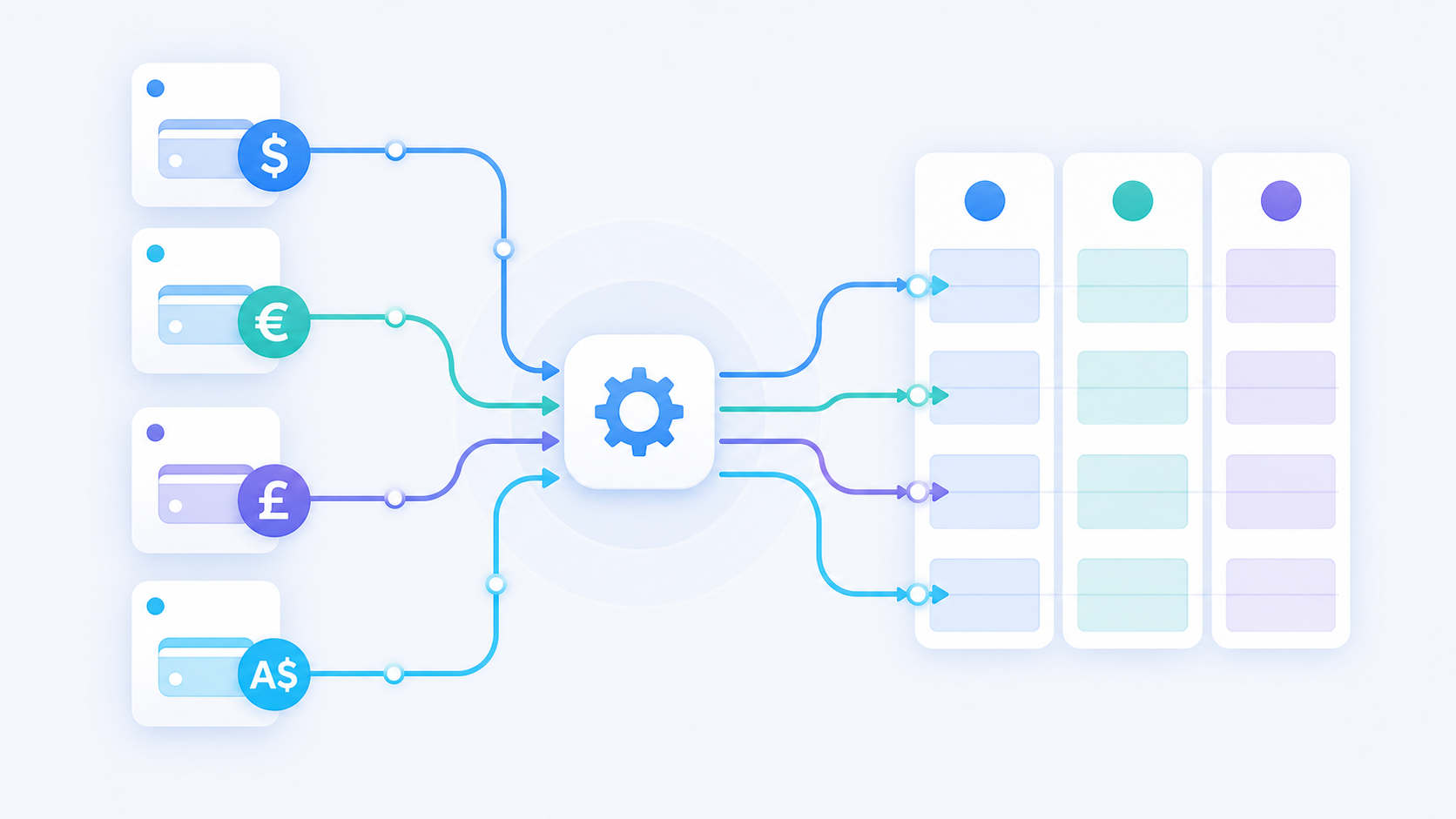
A few things worth locking down before your first sync runs:
- Create dedicated GL accounts for each Yield currency you hold
- Separate Yield balance accounts from Yield income accounts
- Confirm no existing bank feed is already writing to those GL lines
Inconsistent chart of accounts structures are a known cause of broken consolidated reporting across entities. Getting the structure right before data starts flowing is far easier than reclassifying entries after the fact.
Syncing Yield Account Balances vs. Transaction History: Key Differences
Balance snapshots and transaction history syncs look similar on the surface, but they serve fundamentally different purposes and pulling them on the same schedule is a mistake most teams make once.
A balance snapshot tells you what a Yield account holds right now. Each sync overwrites the last, making it inherently stateless. This works well for cash position reporting, treasury dashboards, and any workflow that needs a current reading of available funds. For period-close, though, a balance alone is not an audit trail. If your Yield account earned $4,200 in a quarter, a balance sync won't tell your auditor when that income accrued or in what increments.
Transaction history syncs are incremental by nature. Each run picks up new activity since the last sync, building a complete ledger of credits, debits, and yield accruals over time. That log is what NetSuite, Xero, and QuickBooks Online actually need to post journal entries correctly. Without it, reconciliation is guesswork.
The practical split:
| Sync Type | What It Captures | Recommended Cadence | Primary Use Case |
|---|---|---|---|
| Balance Snapshot | Point-in-time account value in native currency; overwrites the previous reading | Hourly or daily | Cash position reporting, treasury dashboards, real-time visibility into available funds |
| Transaction History | Incremental credits, debits, and yield accruals since the last sync; builds a full ledger over time | Aligned to your close process | Posting journal entries in NetSuite, Xero, or QuickBooks; audit trail for accruals |
- Run balance syncs frequently (hourly or daily) for real-time visibility into available funds across accounts.
- Run transaction history syncs on a cadence that matches your close process, capturing every credit, debit, and accrual in sequence.
- Avoid mixing the two into a single job, as timing gaps will cause your reported balance and posted transactions to disagree, a problem that only surfaces at month-end when you least want it.
Handling Currency and Subsidiary Complexity in Multi-Account Syncs
Multi-entity businesses holding Yield accounts in USD, AUD, EUR, and GBP face a layered problem: every sync needs to carry the transaction amount, the currency code, and the correct subsidiary attribution so records land in the right legal entity's books.
The failure mode worth planning for is missing metadata. When a source record arrives without a currency code or subsidiary ID, most integration pipelines either drop the record silently or write it to a default destination. Both outcomes are bad. Dropped records create gaps your auditor will find. Misrouted records require manual reclassification.
A few rules worth building into your sync logic:
- Require currency code validation before a record is written downstream, rejecting or quarantining any record that lacks this field instead of guessing.
- Set explicit fallback behavior for missing subsidiary fields, routing ambiguous records to a suspense account instead of a default entity so nothing gets miscategorized.
- Flag unresolved records in a reconciliation report instead of silently skipping them, giving your finance team a clear queue to work through.
- Apply FX conversion at the point of sync using the transaction-date rate, not the run-date rate, to keep your books accurate regardless of when the pipeline runs.
Reconciliation Workflows After Syncing Airwallex Yield Data
Once transaction history lands in your GL, reconciliation begins. The goal is simple: every Yield credit, debit, and accrual entry should match a posted journal line with no gaps.
Automated bank feed matching handles most of this, but Yield accrual entries trip it up. Accruals don't look like payments, so matching rules built around transaction amounts and dates often skip them entirely, leaving pending items in a clearing queue that grows quietly until quarter-end.
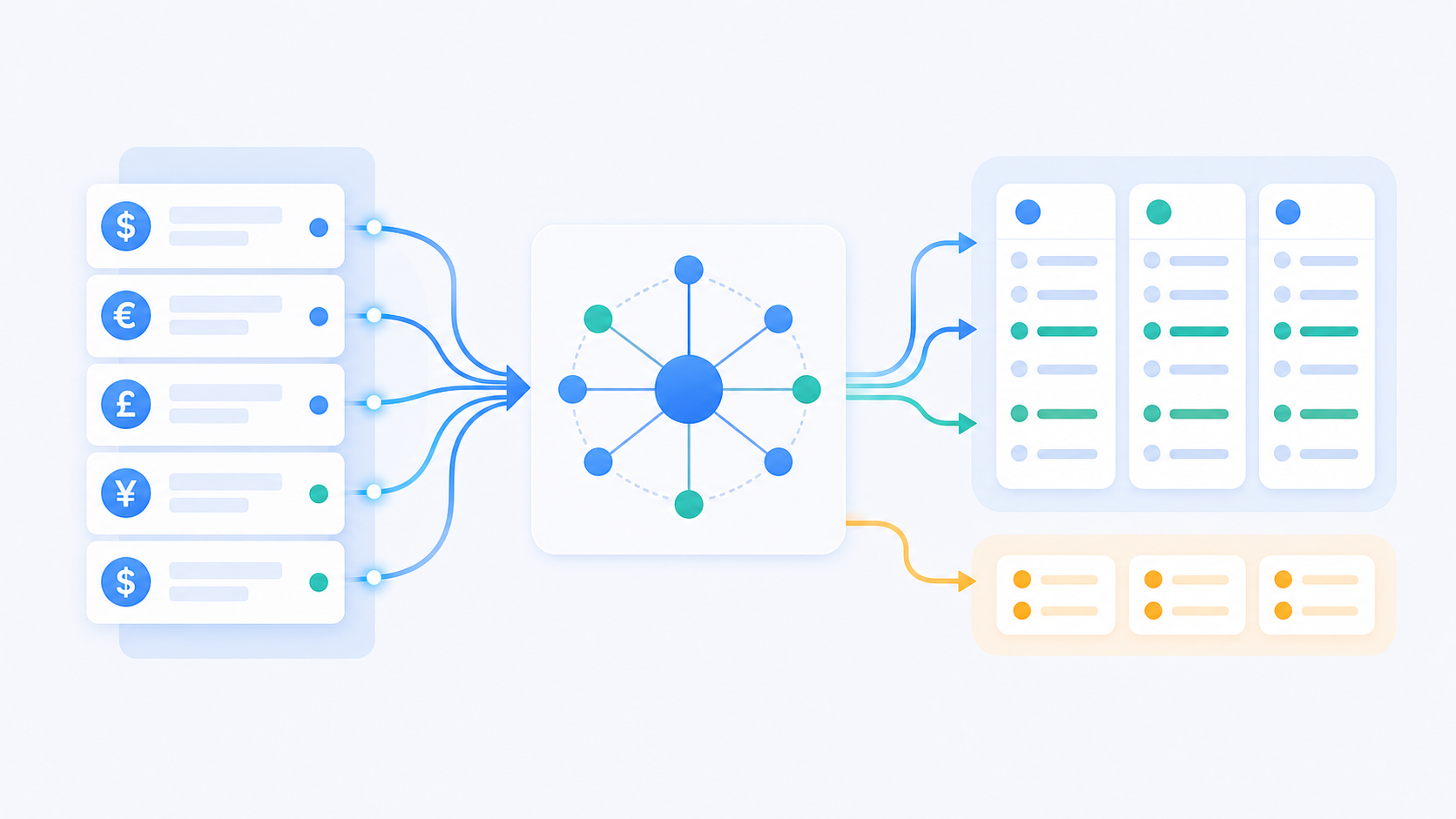
Historical transactions are the other common gap. If a sync job fails mid-run, some records may never land in your GL. The fix is a reconciliation report that compares what Airwallex shows against what was posted, surfacing any missing sequence in the transaction log.
A clean audit trail for a multi-account setup needs three things:
- A record of every sync run, including failures and retries, so you can trace exactly when data stopped flowing and why
- A line-level match between Airwallex transaction IDs and GL journal entries, giving auditors a clear path from source to ledger
- A suspense account report showing anything that couldn't be matched automatically, so nothing sits unresolved past close
Without that structure, the only way to find missing entries is to manually re-export statements and compare them to posted transactions, which is exactly the kind of work automation was supposed to eliminate.
How hotglue Handles Airwallex Yield Account Integration
hotglue's Airwallex connector covers the full data surface you'd expect: Yield account balances, transaction history, bills, expenses, charges with attachments, GL accounts, vendors, custom fields, and tax rates. Customers can map Yield accounts to GL accounts directly inside the hotglue widget, skipping custom transformation code for each currency or subsidiary.
For finance teams handling sensitive balance data, security posture matters. hotglue is SOC 2 Type II and GDPR compliant and never stores customer data, processing records directly to your destination system. That's the right model for Yield account data touching treasury positions and income accruals.
At scale, hotglue processes roughly 10 billion records weekly across 38,000+ active tenants, spanning connectors from Airwallex to a Plaid connector for bank data. Pricing is based on active tenants, not data volume, so a customer holding four Yield accounts across different currencies counts as one tenant. That keeps costs predictable as adoption grows, without penalizing high-volume accounts.
Final Thoughts on Automating Your Airwallex Yield Account Sync
The gap between what native integrations cover and what multi-account Yield setups need shows up every single month-end close. Duct-taping together CSV exports and manual reclassification is nobody's idea of a scalable finance stack. hotglue is built for exactly this: embedded financial data integration that syncs Yield balances and transaction history, with Yield-to-GL mapping in the widget, so you skip writing transformation code for every new account or entity. It keeps your team out of spreadsheet hell. Book a demo with hotglue to see how it works in practice, or read the Airwallex connector docs to see what's available.
FAQ
How do I prevent Airwallex Yield accounts from getting mapped to the wrong GL accounts during a multi-account sync?
The safest approach is to create dedicated GL accounts for each Yield currency before your first sync runs, one for balances and one for income accruals, so there are no existing bank feed lines they could accidentally land on. If your integration layer supports it, filtering the GL account dropdown to exclude lines already tied to Mercury, Stripe, or other bank feeds cuts off the most common mapping mistakes before they happen. Reclassifying misrouted Yield entries mid-quarter is far more painful than getting the chart of accounts structure right upfront.
How does fallback logic work when a source record from Airwallex is missing currency or subsidiary metadata?
Missing metadata should never result in a silently dropped or misrouted record. The right behavior is to route ambiguous records to a suspense account and surface them in a reconciliation report, giving your finance team a clear queue to review instead of a gap that surfaces at month-end. hotglue's Python-powered transformation layer lets you build this validation and routing logic into your sync, and its guarantee that a partial sync failure never silently succeeds means failed jobs surface for retry instead of quietly dropping data.
What data does the Airwallex Yield account integration actually cover?
The hotglue Airwallex connector syncs Yield account balances and transaction history, plus bills, expenses and charges with attachments, GL accounts, vendors, custom fields, and tax rates. Customers can map Yield accounts to GL accounts directly inside the hotglue widget, without writing custom transformation code for each currency or subsidiary.
Should I sync Airwallex Yield balances and transaction history on the same schedule?
No, these serve different purposes, and pulling them on the same cadence causes your reported balance and posted transactions to disagree at month-end. Run balance snapshots frequently (hourly or daily) for treasury visibility, and run transaction history syncs on a cadence that matches your close process so every accrual, credit, and debit lands in sequence. Mixing the two into a single job creates timing gaps that only surface when you least want them.
How do I let my customers sync their Airwallex financial data without storing it on my servers?
You handle this through an embedded integration layer that processes records in transit and delivers them directly to the destination system, never writing customer data to your own storage. hotglue is SOC 2 Type II and GDPR compliant by design and follows exactly this model: Airwallex Yield balances and transaction history flow through to your GL without hotglue holding the data. For B2B SaaS products embedding financial workflows for their own customers, that architecture matters: you get the integration without inheriting the data liability.