Your customers shouldn't have to think about who's powering your integrations. When they click "Connect Salesforce" inside your product, the whole experience should feel like yours. Here's what white-label integration actually looks like to get there.
TLDR:
- White-label integration means your customers connect tools inside your product with your branding, no vendor visible anywhere
- 63% of companies invest in integrations for customer retention, making this a keep-customers play as much as a win-new-deals play
- Building connectors in-house costs $20,000-$40,000 each before maintenance, and APIs change constantly
- Require SOC 2 Type II, GDPR compliance, and per-tenant credential isolation before signing any integration vendor
- Hotglue ships customer-facing integrations fully under your brand, with open-source connectors your team can inspect or extend
What White-Label Integration Actually Means
White-label integration means your customers connect their tools inside your product, see your logo, and have no idea a third-party company is powering the connection behind the scenes.
The "white label" part is straightforward: you're taking infrastructure built by someone else and putting your brand on it. The integration part is the actual data plumbing: OAuth flows, API connectors, sync logic, error handling. Combined, a white-label integration layer handles all of that complexity while your users experience something that looks and feels native to your product.
It's worth separating this from looser uses of the term. Some vendors call an iFrame embed or a co-branded settings page "white label." Real white-label integration meaning goes further: your brand on the UI, your domain on the OAuth consent screen, your support team fielding questions, with the vendor invisible at every touchpoint.
How White-Label Integration Differs from Standard API Integration
Three concepts get mixed together constantly: standard API integration, embedded integration platforms, and white-label integration. They're related but solve different problems.
A standard API integration connects two systems in the background. Your engineering team builds it, maintains it, and your customers never touch it directly. Think of a nightly sync between your product and QuickBooks that your ops team configured once. There's no customer-facing UI.
An embedded integration adds a UI layer. Your customers can connect their own accounts from inside your product. But the connection screen might still show the vendor's branding, their domain on the OAuth screen, their logo in the flow.
White-label integration goes one step further: the vendor disappears entirely. Your customers see your brand name, your colors, your domain on the OAuth consent screen.
The table below captures where each model lands:
| Standard API | Embedded Integration | White-Label Integration | |
|---|---|---|---|
| Customer-facing UI | No | Yes, often vendor-branded | Yes, fully your brand |
| OAuth screen branding | N/A | Vendor's | Yours |
| User knows vendor exists | N/A | Often yes | No |
| Feels native to your product | No | Partially | Yes |
The key distinction is ownership of the user experience. You're presenting connectivity as your own product capability, not as a third-party feature bolted on.
Why B2B SaaS Products Need White-Label Integrations Now
Your customers aren't sizing up your product in isolation anymore. They're asking whether it fits into their existing stack before they sign, and if the answer isn't obvious, they move on. (Yes, even before they've finished the trial. Especially before they've finished the trial.)
The iPaaS market reached $12.9 billion in 2025 at a 19.6% CAGR. That growth reflects something real: integrations have become a buying criterion, not a bonus feature. And 63% of companies now invest in integrations to improve customer retention (per Ampersand, citing original research), which means the user-facing SaaS integrations question goes well beyond winning new deals. It's about keeping the customers you already have.
White-label matters here because a branded, native-feeling integration raises switching costs in a way a visible third-party connector does not. SaaS Capital's retention benchmarks show top B2B SaaS performers hitting NRR above 120%, and product stickiness from deep integrations is a meaningful driver of that. If your customer connects QuickBooks through what looks and feels like your product, that connection becomes part of their relationship with you.
How White-Label Integrations Actually Work Under the Hood
When your customer clicks "Connect QuickBooks" inside your product, a chain of events fires that they never see.
First, an OAuth handshake happens. Your branded consent screen appears under your domain, asking the customer to authorize access. Behind that screen, the white-label integration layer manages the token exchange, stores credentials securely, and handles refresh logic when tokens expire. The customer just sees your logo.
Once authenticated, the connector pulls data from the third-party API on a schedule you control. Field mapping and transformation logic shapes that raw data into whatever structure your backend expects. If QuickBooks changes an endpoint or deprecates a field, the integration layer absorbs that change without your team touching anything.
The architecture underneath looks roughly like this:
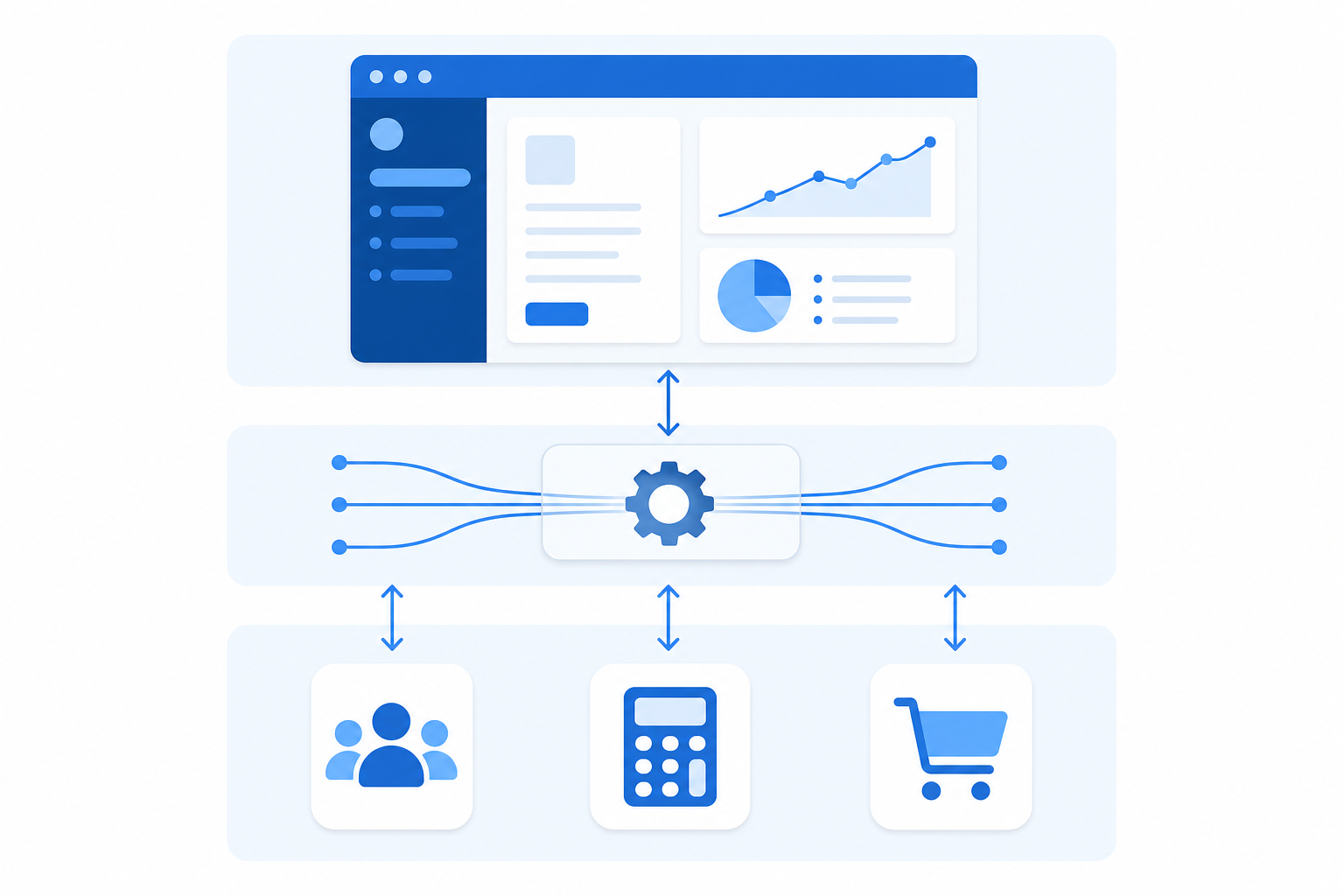
- Your UI calls the integration layer's API to trigger a sync or show connection status
- The integration layer authenticates with the third-party system using stored credentials
- Data is fetched, shaped, and delivered to your backend via webhook or direct write
- Job health is tracked and surfaced to your ops team, not to the end user
The end user's experience is clean because all the complexity lives one layer down, out of sight.
What a White-Label Integration Experience Looks Like for End Users
From the end user's perspective, the experience is just your product.
They go to a settings page, see a list of integrations you offer, and click "Connect Salesforce." A consent screen appears with your name on it. They authorize access, get redirected back to your app, and see a confirmation that their data is syncing. No third-party branding. No unfamiliar domain. No "Powered by" badge in the corner.
That experience can be delivered a few different ways depending on how your team builds it:
- A widget embedded directly in your app, so the connection flow happens inside your existing UI without any page navigation
- Magic Links, which let users authenticate through a branded URL sent via email or in-app notification, without requiring your team to embed anything
- A fully custom UI built on top of the integration layer's API, giving you complete control over the connection flow
In every case, the integration layer handles the OAuth handshake, credential storage, and sync orchestration. Your user just sees your product doing something useful, and they credit you for it.
Core Features to Expect from a White-Label Integration Layer
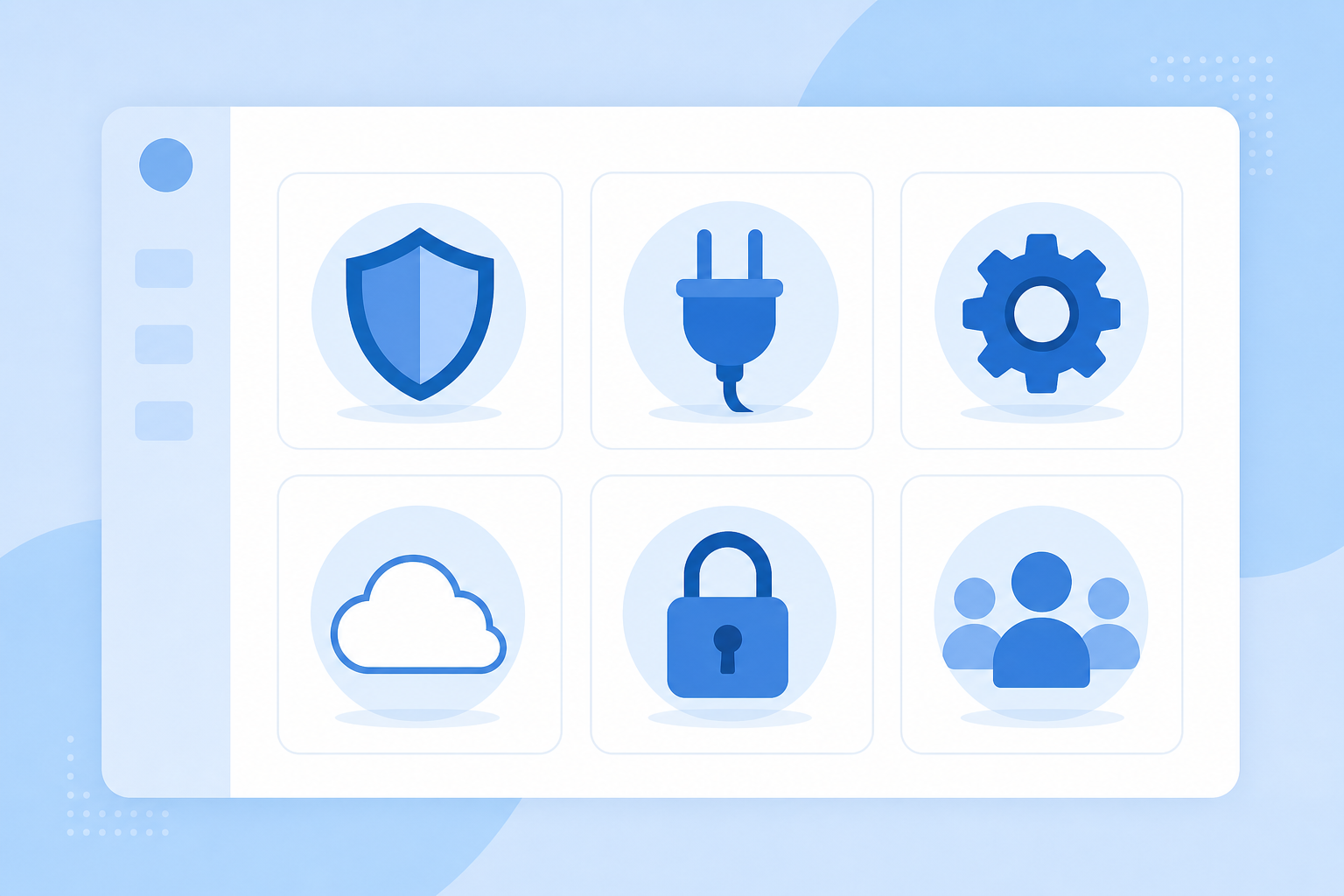
A credible white-label integration layer has a specific set of capabilities that separate a real solution from a shallow one. Here's what to look for:
- Connector library: Hundreds of pre-built connectors across accounting, CRM, e-commerce, and payroll. The broader the catalog, the less custom build work falls on your team.
- Branding depth: Your logo, your domain on OAuth consent screens, your colors in the connection UI. No vendor badges, no co-branding, no "Powered by" footnotes.
- Data mapping and transformation: Raw API data shaped into whatever structure your backend expects, via no-code field mapping or code-based transformation logic.
- Sync scheduling: Configurable sync frequency per connector, controlled independently per tenant.
- Error handling: Partial sync failures should fail loudly, not silently succeed. Job health visibility matters for your ops team, separate from what end users ever see.
- Multi-tenant architecture: Each customer gets isolated credentials, sync state, and configuration. One customer's failed job should never affect another's.
- Security certifications: SOC 2 Type II and GDPR compliance are the baseline for any B2B SaaS context. Verify these before signing anything.
- On-premise connector support: If your customers run legacy software like QuickBooks Desktop or Sage 300, the integration layer needs to handle that too, beyond cloud APIs alone.
The Build-In-House vs. White-Label Integration Trade-Off
Building in-house works until it doesn't. The first integration your team ships feels straightforward. The third or fourth, when customer variations start stacking up, is where the real cost surfaces. At that point, it's usually the CPO asking why engineering hasn't shipped a new feature in six weeks, and the answer is always "the Salesforce connector."
In-house builds run $20,000-$40,000 per connector before maintenance compounds. Then third-party APIs change endpoints, schemas drift, and one customer running Shopify with Loop Subscriptions requires a full connector rebuild. These are common pitfalls when assessing iPaaS tools that catch product teams off guard. Your engineers signed up to build your product, not to chase API changelogs.
White-label integration trades some control for compounding time back, and despite the stigma of embedded iPaaS, connector maintenance, OAuth refresh logic, and API version monitoring move off your roadmap entirely.
When building in-house still makes sense:
- Your integration is deeply proprietary and touches core product logic no vendor could anticipate
- You have a dedicated integrations engineering team with genuine capacity to absorb ongoing maintenance
- The connector doesn't exist anywhere and your use case is genuinely one-of-a-kind
When white-label wins:
- Customers are requesting integrations faster than your team can ship them
- Integration maintenance is consuming engineering time that should go toward your core product
- You need a connector catalog, not a single connection
For most B2B SaaS teams, in-house made sense for the first integration and stopped making sense somewhere around the second or third request.
As for who owns this decision: it typically lands with the CPO or Head of Product, since integration scope directly shapes the roadmap. Day-to-day management — monitoring syncs, handling connector failures, fielding customer escalations — falls to whoever runs the integrations or platform engineering function. If that person doesn't exist yet, it defaults to whoever is unlucky enough to have touched the first connector. (They know who they are.)
Commercial Models for White-Label Integration Partnerships
How you charge for integrations matters as much as how you build them. There are a few common structures, each fitting a different business model.
- Bundle into implementation fees: Include integration setup in your standard onboarding charge. Simple to explain, easy to sell, and your customers never see a line item for integrations.
- Pass costs through to end customers: Charge customers directly for integration access, either as a flat add-on or tiered by connector. Works well if integrations are a meaningful part of your product's value proposition.
- Reseller arrangement: You buy access from the integration provider at wholesale and bill your customers at whatever rate you set. More margin control, more billing complexity.
- Referral structure: You route customers to the integration provider informally, with no fees required from your side. Low overhead, low margin.
If integrations are table stakes, bundle them and move on. If they're a premium capability, pass costs through and capture the margin, and knowing how to choose an embedded iPaaS solution will sharpen that decision. Most partnerships start with bundling and move toward reseller structures as integration revenue grows large enough to manage independently.
Security and Compliance in White-Label Integrations
When a third party sits inside your product handling OAuth tokens and customer data, your security posture is only as strong as theirs.
The evaluation checklist is short but non-negotiable:
- SOC 2 Type II and GDPR compliance are the baseline. Not "in progress," not "planned." Verified.
- OAuth credentials should be stored with access controls isolated per tenant. One customer's tokens must never be accessible in the context of another's jobs.
- Data handling matters more than data storage. The right model processes integration payloads and delivers them to your backend instead of warehousing customer data as a persistent store.
- Multi-tenant isolation means a failed or misbehaving job for one customer cannot affect sync state, credentials, or data for another.
Enterprise buyers will ask about all of this in security questionnaires before any contract moves forward. If your integration vendor can't answer cleanly (worth reviewing Workato alternatives for SaaS embedding), that deal stalls on you, not them.
How hotglue Approaches White-Label Integration for B2B SaaS
Hotglue's embedded iPaaS was built for exactly this use case: B2B SaaS teams that need customer-facing integrations to look and feel like their own product.
When a team ships through hotglue, their customers connect QuickBooks Online, Salesforce, Shopify, Paylocity, and hundreds of other systems without ever seeing the hotglue name. The widget runs under your brand, OAuth screens show your domain, and the entire flow reads as a native product feature.
A few things make the infrastructure worth trusting at scale:
- 38,000+ active tenants and roughly 10 billion records processed weekly, so the architecture has been tested against real production load
- Connectors are open-source, meaning your team can inspect, fork, or extend any connector instead of relying on a black box
- SOC 2 Type II and GDPR compliant by design, with customer data processed and delivered directly to your backend instead of being warehoused
- New connectors go from API access to live in one to two weeks
- Tenant-based pricing means your bill grows predictably with your customer base, not with data volume spikes
Final Thoughts on What White-Label Integration Really Means
Your customers want integrations that feel like your product built them, not a third party you hired to patch things together. Getting that right means owning the full experience, from the OAuth screen to the sync status page, and that's exactly what a white-label integration layer handles. For most B2B SaaS teams, the tipping point away from in-house builds comes sooner than expected. Book a demo to see a proof of concept before any commitment.
FAQ
What is white-label integration, and how is it different from a standard embedded integration?
White-label integration means your customers connect their tools inside your product, seeing your logo, your domain on the OAuth consent screen, and your brand throughout the entire flow, with no indication that a third party powers the connection. A standard embedded integration adds a customer-facing UI but may still show the vendor's branding; white-label goes further by removing the vendor from the experience entirely, so the integration reads as a native product feature you built yourself.
Embedded iPaaS vs. building integrations in-house: what should a product team actually choose?
For your first integration, in-house often makes sense. By the second or third customer request, the math changes: in-house connector builds run $20,000 to $40,000 each before ongoing maintenance, and every API endpoint change or schema drift falls on your engineering team to absorb. An embedded iPaaS like Hotglue moves connector maintenance, OAuth refresh logic, and API version monitoring off your roadmap, so your engineers stay focused on your core product instead of chasing third-party API changelogs.
What's the best embedded integration platform for B2B SaaS products that need white-label API integration at scale?
The right white-label integration platform needs a deep connector catalog, full branding control down to the OAuth consent screen, multi-tenant isolation, and verified SOC 2 Type II compliance; shallow solutions cut corners on at least one of these. Hotglue processes roughly 10 billion records weekly across 38,000+ active tenants, ships new connectors in one to two weeks from API access, and is SOC 2 Type II and GDPR compliant by design, with customer data processed and delivered directly to your backend without being stored.
How do commercial pricing models work for white-label integration partnerships, and can I pass costs through to my customers?
Yes, and there are several structures that work depending on your business model: bundle integration access into your implementation fees, charge customers directly as a flat add-on or tiered by connector, or buy wholesale through a reseller arrangement and set your own margin. Most partnerships start with bundling for simplicity and shift toward reseller structures once integration revenue is large enough to manage independently.
How quickly can a new integration connector be built when a customer requests a platform you don't yet support?
With sandbox or test account access, Hotglue can take a new connector from zero to live in one to two weeks, a turnaround most in-house engineering teams can't match while also managing existing roadmap commitments. The process covers API authentication, field mapping, sync scheduling, and error handling, so the connector ships production-ready instead of as a prototype that needs ongoing fixes.