Getting your first integration in front of customers sounds like an engineering project, but it doesn't have to be. The setup is more like configuring than coding, and your end users handle the rest themselves. This is how that actually works.
TLDR:
- Building a single integration in-house costs $50,000-$200,000 per connector and takes 3-6 months to ship.
- Embedded integration onboarding lets your users connect tools like QuickBooks or Salesforce directly inside your product, no engineering ticket required.
- B2B SaaS companies reject 70-80% of enterprise feature requests because engineering can only build for the majority.
- On-premise systems like QuickBooks Desktop and Sage 300 CRE get skipped by most embedded iPaaS providers, leaving real customer gaps.
- Hotglue handles auth, token refresh, and API maintenance after a one-time setup, with open-source connectors your team can inspect or fork.
What Embedded Integration Onboarding Actually Is
Embedded integration onboarding is what happens when your end users connect their own tools, like Salesforce, QuickBooks, or Shopify, directly inside your product. No support tickets. No "we'll add that to the roadmap." The user clicks connect, authenticates, and the data starts flowing, all without ever leaving your UI.
This is different from what most teams think of first. Internal iPaaS tools like Workato or Zapier are built for IT teams automating internal workflows. Embedded integration onboarding is customer-facing: it lives inside your product and serves your users, not your ops team.
The distinction matters because the buyer, the builder, and the beneficiary are all different people. Your customer wants a working QuickBooks sync. Your engineering team shouldn't have to build and maintain it from scratch every time a new customer asks.
Why the Engineering Backlog Is the Wrong Solution
Building a single integration in-house can cost $50,000 to $200,000 per connector and take 3 to 6 months to ship. That's before you factor in maintenance: third-party APIs change, schemas drift, and someone on your team has to catch it every time. And every sprint spent on a QuickBooks connector is a sprint not spent on your core product.
The math compounds fast. Research on feature request rejection rates, the average B2B SaaS company turns down 70 to 80% of enterprise feature requests, not because they are unreasonable, but because engineering can only build for the majority.
Routing every integration ask through engineering also creates a ceiling on how fast you can close deals and retain customers. A prospect asking "does it sync with NetSuite?" is telling you whether they can buy.
How Embedded Integration Onboarding Works
Three components make this work together.
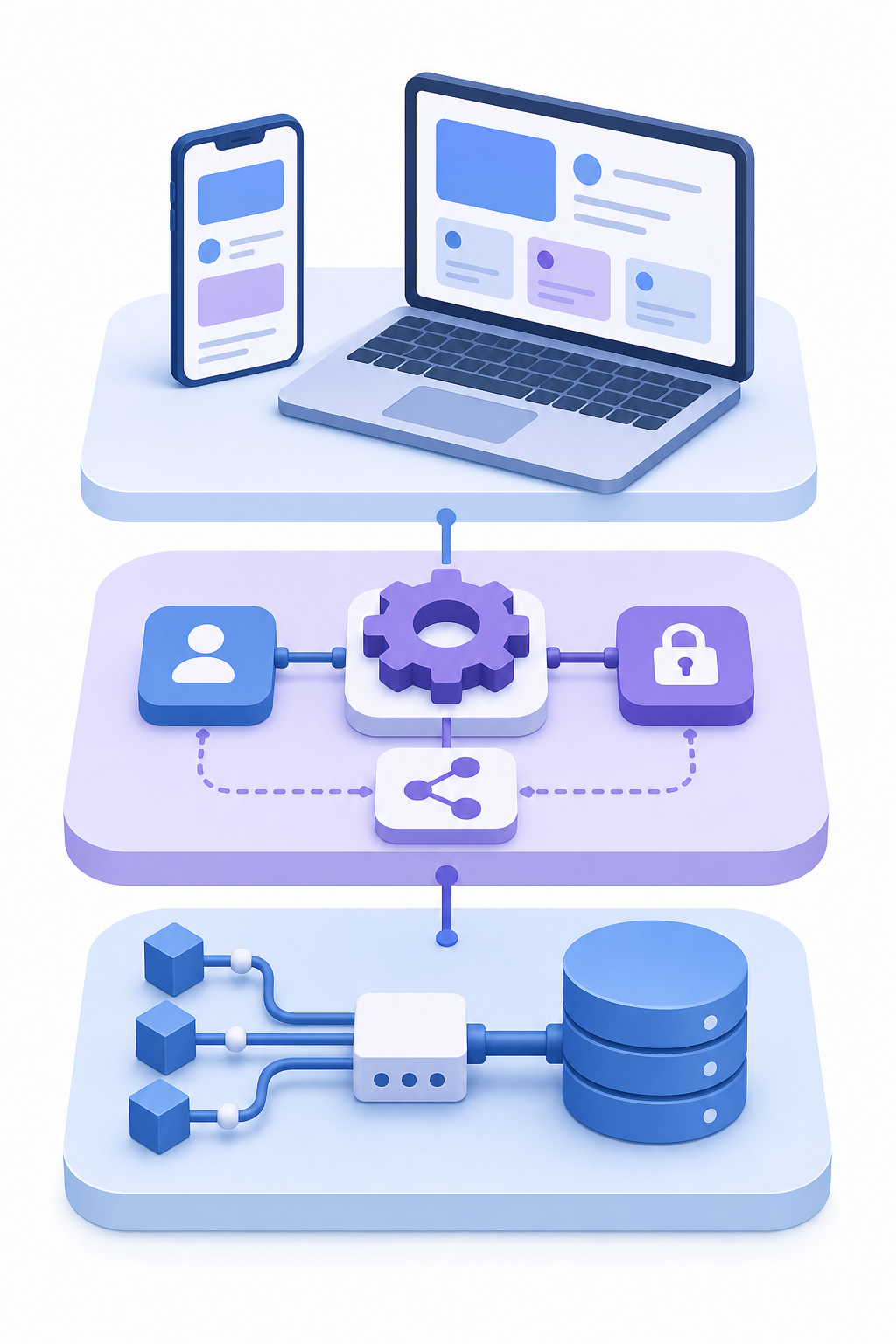
The first is the user-facing connection UI. This is either an embeddable widget that lives inside your product or a Magic Link you send to users so they can authenticate without any embed required. The user sees a branded connection screen, clicks to authorize, and they're done.
The second is the connector layer. Behind that auth flow sits a connector that knows how to talk to the third-party system, whether that's Shopify, NetSuite, or Paylocity. It handles OAuth, token storage, and API-specific quirks so your engineering team never has to.
The third is the data pipeline. Once a user connects, syncs run on a schedule you configure, or on demand when triggered. Records move from the source system through an optional transformation layer and land wherever your product expects them.
The No-Code Setup Path for End Users
From the user's seat, the whole thing takes a few minutes. They land on an integrations page inside your product, see the tools they already use, and click to connect one.
Say they pick QuickBooks Online. They get redirected to a standard OAuth screen, log in, and approve the connection. Back in your app, they choose what to sync. Then they're done. No API keys. No documentation. No call with your customer success team. (Your CS team will find other things to do with their time, we promise.)
The user just connects their tool and expects it to work, which it does.
What the Developer Setup Actually Involves
The work on your side is real, but it's front-loaded. You configure things once, and then your end users run with it. Ownership sits with the product or engineering team for the initial setup, and your customer success team for keeping users connected — not a dedicated integrations engineer you don't have yet.
Setup typically involves four steps:
- Embed the widget into your product UI (a few lines of JavaScript) or generate Magic Links if you prefer to skip the embed entirely
- Configure your connectors in the hotglue dashboard: choose which sources and targets you want to expose, set permissions, and define which entities each flow supports
- Set field mappings and any transformation logic, either through the no-code mapping interface or a Python script if your data model needs something custom
- Choose sync schedules per connector, hourly for Salesforce, nightly for QuickBooks, whatever fits your use case
Once those are in place, the ongoing maintenance burden moves to hotglue: API changes, token refreshes, schema updates. Your team won't get paged when Shopify updates an endpoint.
Choosing the Right Connector Coverage for Your Product
Most B2B SaaS products need connectors across four categories: accounting and ERP (QuickBooks Online, QuickBooks Desktop, NetSuite, Sage 100, Sage 300 CRE, Microsoft Dynamics 365), CRM (Salesforce, HubSpot), payroll and HR (Workday, Paylocity, ADP, Gusto), and e-commerce (Shopify, Amazon).
The category is easy. The specific system is where it gets tricky.
Cloud-only connector catalogs leave real gaps. A construction SaaS customer running Sage 300 CRE on-premise, or a nonprofit on QuickBooks Desktop, looks at a cloud-first integration catalog and sees nothing. They either ask your CS team for help or they churn quietly. On-premise systems require connectors that install locally and talk directly to the database, which most embedded iPaaS providers simply skip.
When reviewing connector coverage, ask three questions:
- Does the catalog include the specific systems your customers already run, beyond the popular cloud versions?
- Are on-premise and legacy systems supported, or will a subset of your customer base always be stuck?
- Can a missing connector be built quickly without waiting months for a vendor roadmap to catch up?
With hotglue, new connectors typically go from API access to live in one to two weeks. Because connectors are open-source, your team can inspect, fork, or extend them if a specific data model needs adjustment.
Handling Data Mapping and Transformation Without Custom Code
Field mapping is where most teams hit friction. When a customer syncs their QuickBooks, "Customer Name" on their side might need to map to account_title on yours. Get it wrong and you get silent mismatches, duplicate records, or broken downstream logic that takes days to diagnose.
The options range from simple to surgical:
- No-code mapping UI: drag-and-drop field matching works well for standard cases where source and destination fields align cleanly.
- AI-assisted mapping: hotglue suggests mappings automatically based on field names and data types, cutting setup time for common connectors.
- Python transformation scripts: for non-standard data models, nested JSON, multi-source joins, or anything a drag-and-drop interface can't handle.
Most products start with the no-code interface and graduate to scripting when a specific customer has an unusual data model. GluestickAI, hotglue's LLM-based code assistant, lets you describe the transformation in plain language and generates the Python for you, so you get the flexibility of code without writing it from scratch every time. Customer data is never stored or used to train the model.
Sync Scheduling and Reliability Expectations
Sync frequency is one of those decisions that feels minor until a customer calls saying their QuickBooks data is a day behind.
Most teams choose between three patterns:
- Scheduled batch syncs on a cron (hourly, nightly, weekly) for predictable, periodic data movement.
- On-demand syncs triggered by a user action or API call when freshness depends on user behavior.
- Real-time webhooks for systems that support push-based event delivery.
The right answer depends on your product. Hotglue supports cron-based scheduling configurable per connector, so you can sync Salesforce hourly and NetSuite nightly within the same deployment without conflict.
The harder problem is failure handling. A partial sync that quietly succeeds is worse than one that fails loudly, because it poisons your data without raising an alarm. Hotglue guarantees a partial failure will never silently succeed: the job either delivers all data or fails, preserves state, and queues for retry.
At scale across many tenants, integration health becomes its own management surface. Knowing which customers have stale connections, which jobs are failing, and which tokens have expired is not optional once you have real volume. That visibility needs to be built into your integration design from the start, not retrofitted after your first churn conversation about missing sync data.
Embedding the Integration Experience in Your Product UI
Two paths exist for getting the connection UI in front of your users.
The first is the embedded widget: a few lines of JavaScript drop hotglue's connection interface directly into your product. It lives on your integrations page, inside your settings panel, wherever makes sense for your UX. Users never leave your app.
The second is Magic Links: shareable URLs that send users to a hosted connection flow outside your product UI. Useful when embedding isn't practical, like during an onboarding email sequence or a CS-led setup call.
Both support white-labeling. Your logo, your colors, a native-feeling experience with no indication of what's running underneath.
Where you surface it matters as much as how. Three placements tend to work well:
- During account setup, when users are already in configuration mode and motivated to connect their tools
- After an activation milestone, once a user has seen enough value to understand why the integration helps
- Triggered by a specific workflow, when a user hits a screen where synced data would obviously appear
Forcing integration setup too early creates friction. Waiting too long means users build habits without it. The right moment is when the integration visibly unblocks something the user already wants to do.
Tenant Management and Multi-Customer Scale
Once you move past your first handful of customers, integration management stops being a setup problem and becomes an operations problem.
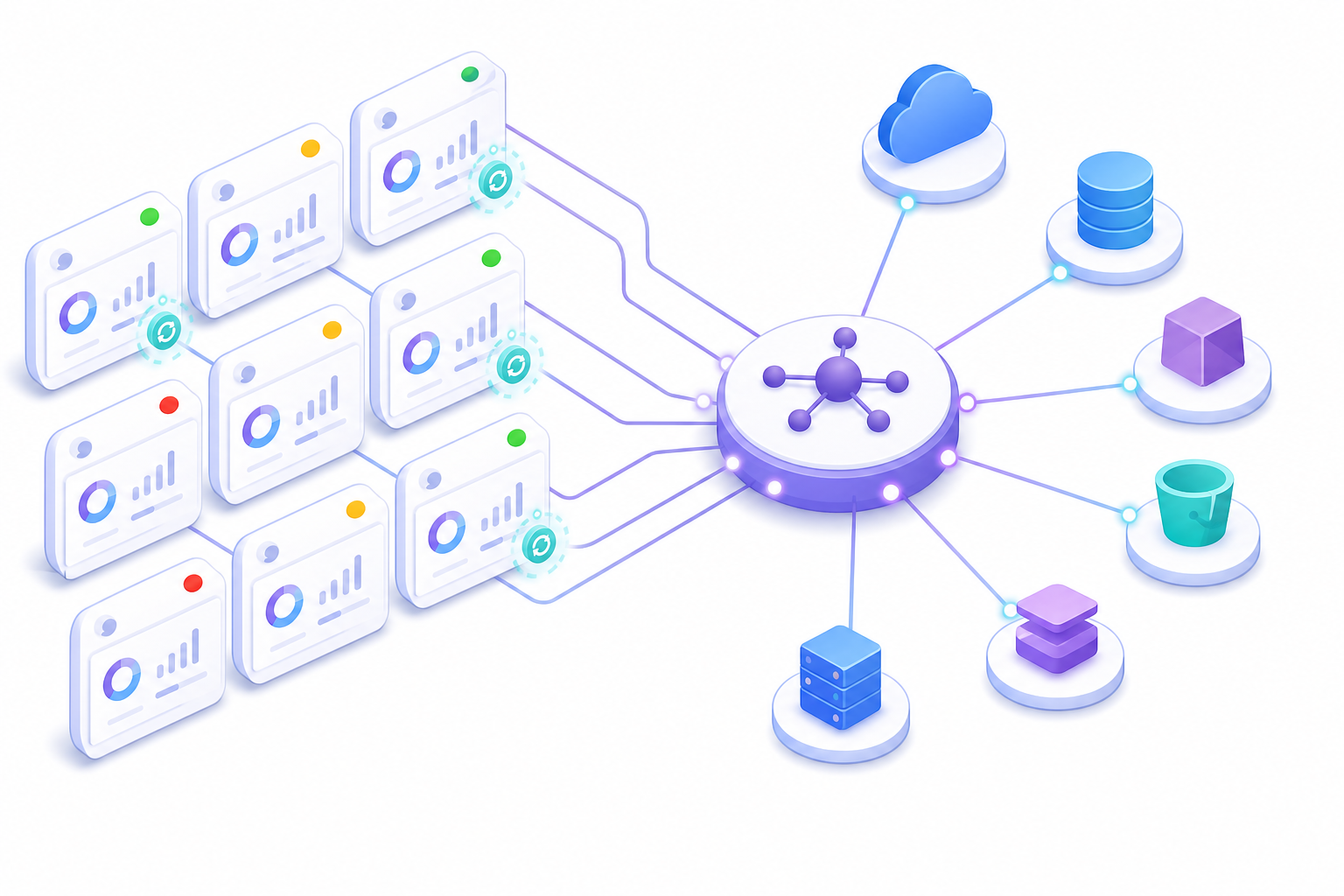
Each tenant arrives with their own credentials, their own field mapping quirks, and their own sync history. Tenant 47's QuickBooks connection might be healthy. Tenant 48's expired OAuth token might be silently failing. Without tenant-level isolation, one customer's bad state can bleed into another's, and without visibility across all of them, you find out about failures from churn, not dashboards.
average company runs 106 SaaS apps across their stack. Multiply that fragmentation by your customer count and you get a sense of what managing integrations at scale actually means.
Hotglue prices on active tenants, not data volume. Volume-based billing means a spike in sync activity, a large historical backlog, or a busy quarter produces a surprise invoice. Tenant-based billing stays predictable as long as your customer count is predictable, which it should be if your product is growing steadily.
When to Build vs. When to Embed
| Factor | Build In-House | Embedded iPaaS (hotglue) |
|---|---|---|
| Cost per connector | $50,000-$200,000 | Covered by platform subscription |
| Time to ship | 3-6 months | Days to a few weeks |
| New connector turnaround | New sprint required | 1-2 weeks (sandbox to live) |
| API maintenance | Your team owns it | Handled by hotglue |
| On-premise system support | Possible but costly | Yes (QuickBooks Desktop, Sage 300 CRE, etc.) |
| Connector transparency | Full (you wrote it) | Full (open-source, forkable) |
| Billing model | Engineering time + ongoing maintenance | Per active tenant (predictable) |
Building in-house still makes sense in a narrow set of situations. If you're connecting a deeply proprietary internal system with no public API, there's nothing to embed. If your security posture prohibits any third-party data handling, you'll build it yourself regardless of cost. And if you need exactly one strategic integration that will never replicate, the overhead of adopting an external tool may not be worth it.
Outside those cases, the math tilts toward embedding quickly. Ask yourself:
- Are customers requesting the same connectors repeatedly across different accounts?
- Is your engineering team smaller than the integration backlog it's being asked to absorb?
- Do integration gaps show up in churn conversations or stalled deals?
- Do you expect to add more connectors over the next 12 months?
If yes to any of these, building in-house means accepting ongoing maintenance debt on top of the initial build cost. Each connector you own is a connector you patch when the upstream API changes.
How hotglue Approaches Embedded Integration Onboarding
Hotglue gives product teams two paths to get integrations in front of users. The embeddable widget drops a branded connection UI into your product with a few lines of JavaScript. Magic Links skip the embed entirely, useful when a CS team is walking a customer through onboarding over a call or email. Neither requires your engineering team to manage auth, token refresh, or API edge cases. You can see exactly how both paths work in the hotglue documentation.
On the data side, hotglue processes and delivers records directly to your backend without storing customer integration payloads. That distinction matters when a CPO or security lead asks what happens to customer data in transit. SOC 2 Type II and GDPR compliance are in place, so the answers to those questions already exist in writing.
The catalog covers 650+ open-source connectors, including QuickBooks Desktop, Sage 300 CRE, and other on-premise systems that most embedded iPaaS providers quietly omit from their feature pages. When a connector your customers need is missing, hotglue builds it in one to two weeks from sandbox access to live.
At scale, the infrastructure holds up: 38,000+ active tenants across 70+ B2B SaaS customers, processing roughly 10 billion records weekly. Pricing runs on active tenants, not data volume, so a customer with a large historical backlog does not produce a surprise invoice at month end.
The connectors being open-source is the part engineers tend to notice first. They can inspect exactly what's running, fork it if their data model needs adjustment, and stop treating the integration layer as a black box they can't control.
Final Thoughts on Scaling Embedded Integration Onboarding in B2B SaaS
Most integration problems are really prioritization problems in disguise. Your customers need working connections to the tools they already use, and your team needs to focus on the product they're actually building. The approach covered here keeps both sides happy. Grab some time here if you want to walk through how it works for your specific use case.
FAQ
How does an embedded iPaaS work differently from a traditional integration platform like Workato or Zapier?
Traditional integration platforms like Workato and Zapier are built for internal IT teams automating workflows inside a company. An embedded iPaaS sits inside your product and serves your customers: your users connect their own tools (Salesforce, QuickBooks, Shopify) directly from within your UI, and the platform handles auth, token refresh, and data sync on their behalf. The buyer, the builder, and the person who benefits are three different people, which is why the architecture is fundamentally different.
Embedded iPaaS vs. building integrations in-house: what should a B2B SaaS product team choose?
Building in-house makes sense in a narrow set of cases: a single deeply proprietary system with no public API, or a security posture that prohibits any third-party data handling. Outside those situations, your team still owns the maintenance every time an upstream API changes. See the 'When to Build vs. When to Embed' section above for the full cost and timeline breakdown, and the build vs. embed decision table above for the full criteria checklist.
How do I add customer-facing QuickBooks or Salesforce integrations to my SaaS product without building from scratch?
Embed a connection UI (a few lines of JavaScript, or a Magic Link for a no-embed path), configure your connectors in the hotglue dashboard (selecting sources, targets, and field mappings), then set sync schedules per connector. Once that's in place, your end users authenticate directly inside your product and the data flows without your engineering team managing OAuth, token refresh, or API-specific edge cases. Most teams complete the initial setup in days, not months, and Hotglue's integrations team handles API changes and schema updates from that point forward.
What is the best embedded integration platform for B2B SaaS products that serve customers on legacy or on-premise systems?
Most embedded iPaaS providers only cover cloud APIs, which leaves real gaps for B2B SaaS products serving construction, nonprofit, or finance customers running QuickBooks Desktop, Sage 300 CRE, or Sage 200. Hotglue supports these on-premise systems through a Windows agent, direct database connectors, and a cloud proxy: connectors that install locally and stay resilient to software updates. If a connector your customers need is missing entirely, Hotglue can build it in one to two weeks from sandbox access, and because all connectors are open-source, your engineering team can inspect or extend them instead of treating the integration layer as a black box.
Can a SaaS product team get their first integration live without engineering involvement?
Yes, for the end-user onboarding path. Hotglue's Magic Link feature lets a customer success or partnerships team send users directly to a hosted connection flow without any embed work from engineering: no JavaScript, no widget integration required. Engineering does need to handle the initial one-time setup (connector configuration, field mappings, sync schedules), but that work is front-loaded and does not repeat for each new customer who connects.