What is an MCP connector, exactly? It sounds like jargon, but the concept is pretty straightforward once you separate it from all the overlapping terms floating around. Think of it as the specific piece that maps a real business system into something an AI agent can actually find and call on its own, without a developer hard-wiring every connection in advance.
TLDR:
- An MCP connector maps a specific system (CRM, accounting tool, etc.) into a standard interface AI agents find and call at runtime
- MCP sits above REST APIs: your code decides what to call with APIs, but the AI agent decides with MCP
- Use RAG to ground answers in documents, function calling for one specific action, and MCP for live multi-system access
- More than 30 CVEs hit MCP infrastructure in just two months; enforce OAuth 2.1, allowlists, and read/write separation before shipping
- hotglue's Composite MCP server gives each tenant a single authenticated endpoint with tools resolved at runtime from the systems that tenant has linked
What Is an MCP Connector?
The Model Context Protocol is an open standard introduced by Anthropic that gives AI systems a standardized way to connect to external tools, data sources, and workflows. Before MCP, wiring an AI agent to any external system meant building a custom bridge for each one. Want Claude to read from Salesforce? Custom code. Want it to pull from QuickBooks? More custom code. Every connection was one-off and hard to maintain.
MCP changes that the same way USB-C changed device charging: one standard interface that works across systems instead of a drawer full of incompatible cables.
An MCP connector is the specific piece that maps a particular system into that standard. It exposes a CRM, accounting tool, file store, or any other service as a set of callable tools that an AI agent can find and invoke at runtime. The agent asks what tools are available, gets a list back, and decides which ones to use to complete a task. (Think of it as a very organized intern who actually reads the manual, except it scales infinitely and never asks for snacks.)
MCP Connector vs. MCP Server: What Is the Difference?
The confusion is understandable. Both terms show up in the same conversations, sometimes interchangeably, and that looseness creates real friction when you're trying to build something.
An MCP server is the process that exposes capabilities over the protocol. It advertises a set of tools, handles incoming requests, and returns results. The server is what the agent actually talks to.
An MCP connector is the middleware layer that maps a real service into something an MCP server can expose. Where the server defines the interface, the connector handles authentication, API calls, and data translation for one particular tool.
Take Notion as a concrete example. The Notion MCP server is what Claude or Copilot connects to. The Notion connector sits behind that server and handles the actual Notion API calls, translating between MCP's standard tool format and Notion's own endpoints. One server can expose many connectors, with each doing its own translation work underneath.
The question developers usually get wrong
When developers ask "should I build an MCP server or a connector," they're asking the wrong question. You build a server to expose tools. You build or configure a connector to plug a specific system into that server. They serve different layers of the same stack.
Here's a concrete way to see the difference: say your team wants Claude to query QuickBooks data. You build (or deploy) an MCP server (that's the process Claude actually talks to over JSON-RPC). Then you configure a QuickBooks connector inside that server (that's the piece that holds your OAuth credentials, knows which QuickBooks endpoints to hit, and translates the results into the tool format the server advertises). If you later want to add Xero support, you don't rebuild the server; you add a Xero connector alongside the QuickBooks one. The server stays the same. The connectors multiply.
How MCP Connectors Work: The Architecture in Plain Language
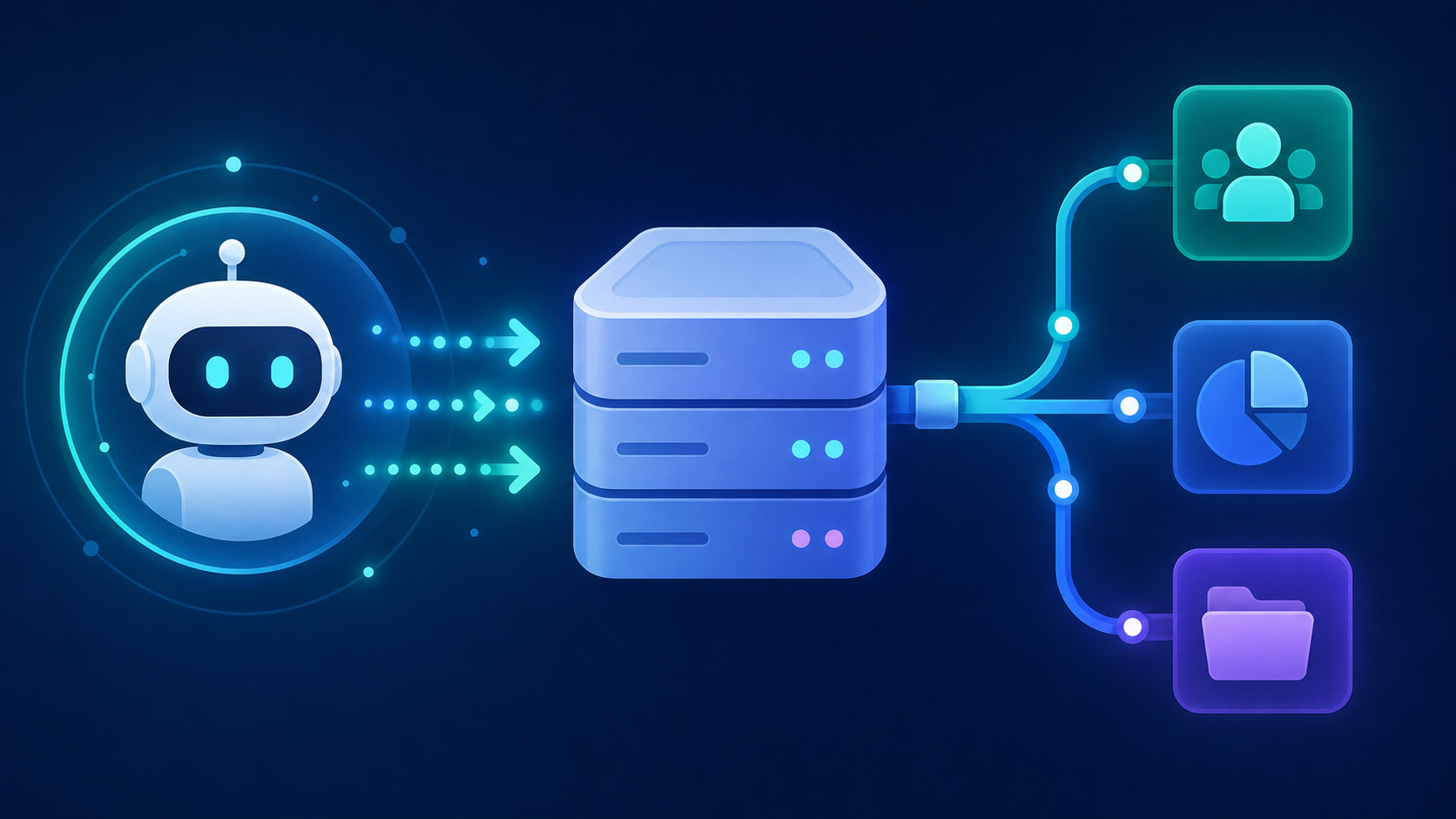
Three moving parts sit in every MCP interaction: the host, the server, and the connector.
The host is the AI agent or assistant, like Claude or a custom LLM app. It sends JSON-RPC messages to an MCP server asking what capabilities are available. The server responds with a list of tools, resources, and prompts. The agent picks what it needs, sends a request, and the connector does the actual work: authenticating with the target system, making the API call, and returning structured results the agent can reason over.
The three building blocks
- Tools: actions the agent can invoke, like creating an invoice or searching contacts
- Resources: data the agent can read, like a list of open orders or a customer record
- Prompts: pre-built templates that scope how the agent interacts with a particular system
Transport
Messages travel over HTTP with Server-Sent Events or Streamable HTTP, which keeps the transport close to standard web infrastructure. Hosting a server reliably doesn't require anything exotic.
MCP in Agentic AI: Why This Architecture Changes Everything
Agentic AI refers to systems that break a goal into steps, decide which tools to call at each step, and act without a human approving every move. A user says "match up last month's invoices" and the agent figures out what to query, what to write, and in what order. No script. No hardcoded logic.
That autonomy creates an infrastructure problem. If every tool connection requires custom engineering, the agent's reach is permanently bounded by whatever your team has pre-wired. Add a new CRM? Build new code. Add a second accounting system? Build more. The integration work scales with the number of systems, which is exactly the wrong model for a multi-tenant SaaS product serving hundreds of customers across dozens of tools.
MCP solves this by letting the agent find tools at runtime. The agent connects to an MCP server, asks what tools exist, and gets back a live list. It calls what it needs. Product teams ship one MCP-compatible integration layer instead of maintaining a custom bridge per system per customer.
For CPOs and Heads of Partnerships at B2B SaaS integrations teams, the implication is concrete: your AI features are only as useful as the systems they can reach. If a customer's data lives in NetSuite and your agent can't get to it without a one-off build, that's a product gap. MCP is what makes that connectivity composable instead of bespoke. This is squarely a product and partnerships problem, as much as an engineering one, because it determines which customers you can serve with AI features and how fast you can expand that list.
MCP Connector vs. REST API: They Are Not the Same Thing
As dash0 puts it: "An API is a contract between two pieces of software... MCP sits a layer above that, exposing capabilities to an LLM so the model decides which tools to invoke at runtime."
A REST API serves your code. Your code decides what endpoint to hit, what parameters to pass, and when to call it. MCP serves the model. The agent reads the available tools, picks what it needs, and decides the sequence.
In practice, MCP connectors typically call REST APIs under the hood. The connector handles auth, constructs the request, and returns a structured result. What disappears is the developer who would otherwise write that endpoint selection logic by hand.
| Dimension | REST API | MCP Connector |
|---|---|---|
| Who decides what to call | Your application code | The AI agent at runtime |
| Tool lookup | Endpoints are hardcoded | Tools advertised at runtime |
| Auth handling | Your code manages it | Connector handles it |
| Primary consumer | Developers | LLMs and AI agents |
They are not competing choices. Most production setups for AI-ready integrations have REST APIs running underneath every connector.
MCP vs. RAG vs. Function Calling: Picking the Right Tool
Three approaches dominate conversations about grounding AI agents in real data, and conflating them wastes weeks of architecture decisions.
RAG (Retrieval-Augmented Generation) pulls relevant chunks from a document corpus and injects them into the model's context before it responds. It works well for knowledge bases, internal wikis, and product documentation, but it does not take actions. If your goal is "help the agent answer questions from last quarter's reports," RAG is the right fit.
Function calling lets a model invoke a specific, pre-defined function during a single conversation turn. It's scoped, predictable, and tightly coupled to what you've explicitly wired up ahead of time.
MCP covers the cases where neither of those is enough: authenticated, live access to external systems across multiple steps, with tools the agent finds at runtime instead of hardcoded ones.
| Approach | Best For | Limitation |
|---|---|---|
| RAG | Grounding answers in a document corpus | Read-only; no live system access |
| Function Calling | Invoking a specific tool in one interaction | Pre-defined; doesn't scale across many systems |
| MCP | Authenticated, real-time access to live systems | Requires MCP server infrastructure |
Use RAG when your agent needs to know something, function calling when it needs to do one specific thing, and MCP when it needs to act across live business systems it finds at runtime.
Real-World MCP Connector Examples
Concrete examples close the gap between architecture diagrams and actual product decisions. Each scenario below follows the same pattern: what the team used to do, and what changes when an MCP connector is in the picture.
Finance SaaS: Answering a QuickBooks question without a scheduled sync
Before: a user asks "what's our current accounts receivable balance?" The support rep opens QuickBooks, pulls the number manually, and pastes it back. Or the product runs a nightly sync, and the answer is 23 hours stale.
After: the agent connects to a QuickBooks MCP connector, calls a get_ar_balance tool with the customer's credentials, and returns live data access directly in the conversation. No sync window. No stale data.
CRM operations agent: Reading and writing mid-conversation
Before: a sales rep asks the AI assistant to log a follow-up task after a call. The assistant can draft the note, but the rep has to open the CRM and paste it in themselves.
After: the agent calls a Salesforce or HubSpot MCP connector mid-conversation, creates the task record, and confirms it back to the rep. The action happens inside the same interaction that produced the output.
Customer success agent: Pulling open invoices in real time
Before: a CS agent gets a "where's my invoice?" question. They log into the billing system, search for the account, and copy the data into a ticket.
After: the AI assistant invokes a connector against the accounting system, retrieves open invoices for that account, and surfaces them directly. The CS agent never leaves the support tool.
In each case, the before state relies on a human acting as the bridge between the AI's output and the system of record. MCP connectors remove that step.
Security and Trust Considerations for MCP Connectors
MCP's trust model is easy to get wrong. The NSA's June 2026 Cybersecurity Information Sheet flags a core inversion: unlike a standard API where your code requests data, MCP servers can query and execute actions on behalf of connected agents. That reversed pattern creates attack paths traditional API security wasn't designed to catch.
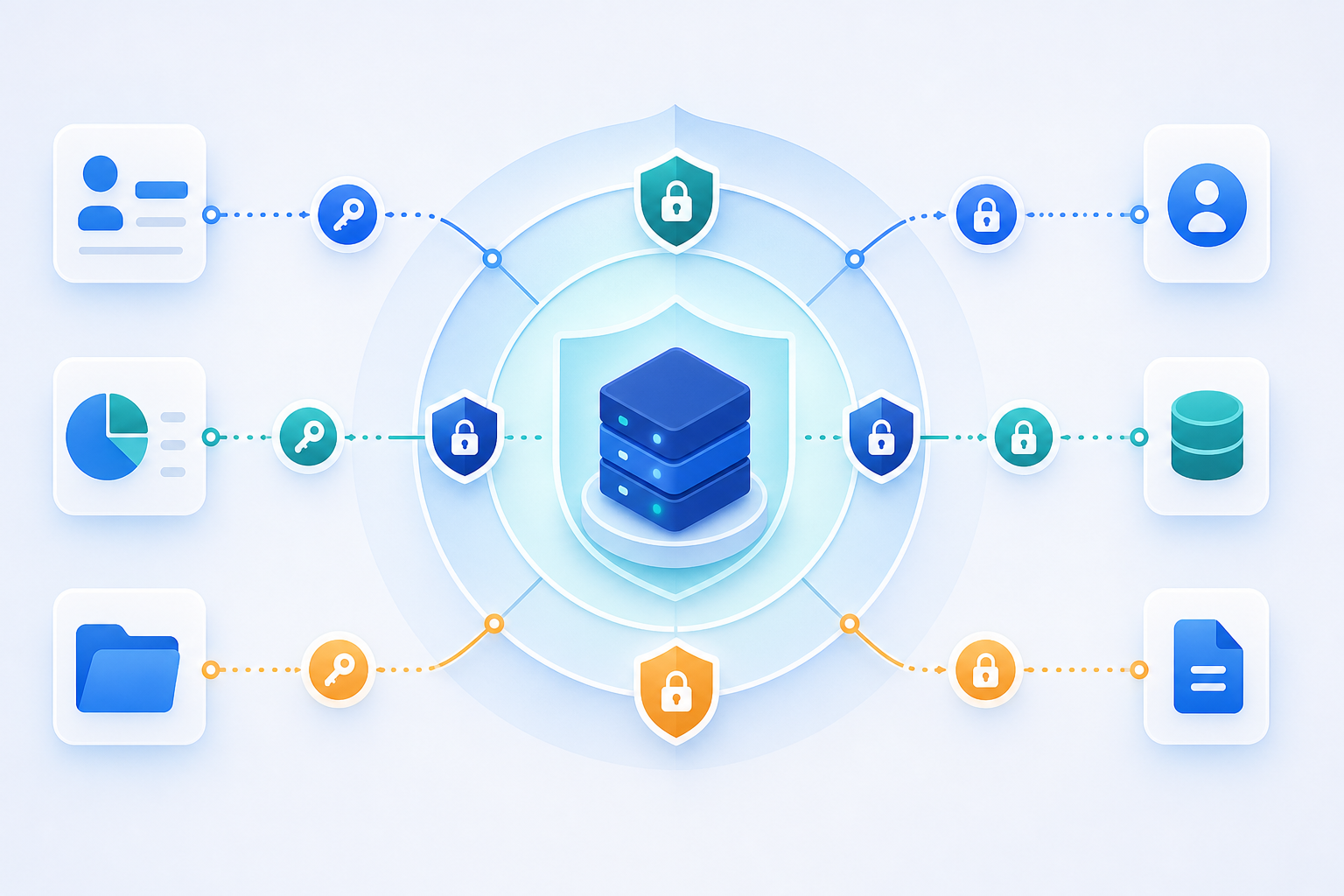
As documented by the Cloud Security Alliance, more than 30 CVEs targeting MCP servers, clients, and infrastructure were filed between January and February 2026 alone, including CVE-2025-6514, which carried a critical CVSS score of 9.6. The November 2025 spec formalized OAuth 2.1 as the authentication standard for remote MCP servers, which raised the floor considerably, but OAuth alone doesn't cover scope control or write-access boundaries. A valid token confirms identity, but it won't stop the agent from calling a destructive delete_invoice tool if that tool is exposed and in scope.
Practical mitigations worth enforcing before you ship:
- Authenticate with OAuth 2.1 and treat any server without it as untrusted input
- Scope tool access with explicit allowlists instead of exposing everything a connector supports
- Separate read and write permissions at the server level, beyond the connector level
- Audit what each connector can actually do, beyond what it's supposed to do
For a multi-tenant SaaS product built on an embedded iPaaS, the stakes are higher than a single-org deployment. One misconfigured connector could expose data across tenants if isolation isn't enforced at the auth layer.
Read vs. Write Access: What an AI Agent Can Actually Do
The capability gap between reading data and writing it back is wider than most teams account for when they first scope an MCP integration.
A read-only connector returning invoice records or customer contacts carries low practical risk. If the agent misreads a query or returns a stale result, a human catches it. A connector that can create bills, update vendor records, approve purchase orders, or trigger payments is a different conversation entirely, especially once you're connecting AI agents to business data. One bad call in a multi-tenant environment and you're looking at corrupted accounting data across customer accounts.
Three questions shape the governance decision:
- Who authorized the agent? A scoped OAuth token tied to a specific user's permissions is very different from a service account with admin access, and it's worth remembering how OAuth tokens can silently expire if nobody's watching.
- What is the blast radius of a mistake? Posting a duplicate journal entry to NetSuite is recoverable. Triggering a payment is often not.
- Is there a human-in-the-loop checkpoint before the action executes? For high-stakes writes, requiring confirmation before commit is cheap insurance.
Worth noting as context for hotglue's own approach: the custom MCP servers we've built for specific integrations, like the DonorPerfect connector, are intentionally read-only by design. The goal was to let AI tools query integration data via natural language without any risk of data corruption. Write access requires a deliberate expansion of scope, not a default setting.
When to Use an MCP Connector vs. a Traditional Scheduled Sync
The choice comes down to what your agent needs to do and when it needs to do it.
Scheduled syncs, whether nightly ETL jobs or webhook-driven pipelines, are built for bulk movement: historical loads, populating a data warehouse, matching thousands of records. They run on a cadence and process volume. That's the right tool for that job.
MCP connectors are built for the moment. When an agent needs a live invoice balance mid-conversation, a sync that ran eight hours ago isn't useful. MCP gives the agent a path to query or act on a specific record right now.
- Use a scheduled sync for bulk historical loads, analytics pipelines, and workflows where completeness matters more than latency.
- Use an MCP connector for real-time queries, conversational lookups, and agent-triggered writes that happen mid-task.
Most production architectures run both, which is really B2B SaaS AI agent integrations in practice. The nightly sync keeps the data warehouse current. The MCP connector lets the agent check a live status or take a targeted action without waiting for the next batch window.
How hotglue Approaches MCP Connectivity for Multi-Tenant SaaS
For B2B SaaS teams, the MCP problem is connecting one agent to one system reliably across hundreds or thousands of customer tenants, each with their own tools, credentials, and data that must never bleed into another account.
hotglue's Composite MCP server, available at https://mcp.hotglue.com/mcp, is built around that requirement. Each tenant gets a single authenticated endpoint. Tools are resolved at runtime from the connectors that tenant has already linked and namespaced by system (for example, notion.search), so an agent can reach each linked system through one endpoint without re-running OAuth per system. It works with the same widget and Magic Link auth you already use, thanks to how hotglue handles MCP authentication.
Tenant isolation is built in. Each endpoint is tied to a single tenant's token, so an agent only sees the systems that tenant has linked, and hotglue never stores customer data. Across the business, hotglue already runs 38,000+ active tenants and processes roughly 10 billion records weekly.
On write access: hotglue's custom MCP servers for specific integrations are read-only by design. Letting AI tools query integration data carries low risk. Extending write access is a deliberate scope expansion, not a default, and that boundary is worth carrying into your own MCP architecture regardless of which infrastructure you build on.
Final Thoughts on Building With MCP Connectors
MCP changes how your agent reaches external systems, but the architecture only pays off if your security model and access boundaries are set up with care. The read vs. write distinction matters more than most teams expect the first time they scope an integration. Build that boundary deliberately and your agent gets real reach without the production risk.
If you're a CPO or Head of Partnerships building AI features on top of customer data, hotglue gets you there with less to build and less to maintain. You skip rebuilding the plumbing for every tenant and stitching together OAuth flows per system. You get one authenticated endpoint per tenant, tools resolved at runtime from the systems that tenant linked, and SOC 2 Type II and GDPR compliance by design. Hotglue's integrations team also monitors third-party API changes and migrates connectors, so that upkeep stays off your roadmap. Book a hotglue Composite MCP demo.