If you've watched an enterprise prospect pause on a security review because your integration story is "customers configure a Zap," you already feel this problem. The tools everyone defaults to, Zapier, Fivetran, MuleSoft, were each built for a specific job, and none of those jobs are "ship native, white-labeled integrations to thousands of tenants inside your SaaS product." Breaking down exactly what an embedded iPaaS is, and why it's its own category, makes the right call a lot clearer.
TLDR:
- An embedded iPaaS sits inside your product for your customers. MuleSoft and Fivetran solve internal IT problems, not this one
- Routing customers to Zapier kills your brand, creates support debt, and gives competitors an easy path to replicate your integrations
- Every connector you build in-house becomes a permanent maintenance obligation, and the average SaaS company manages 350+ integrations
- Per-active-tenant pricing scales predictably with revenue; per-row pricing can spike badly when one enterprise tenant syncs three years of history
- Hotglue handles embedded iPaaS for B2B SaaS teams with an open-source connector library, pipeline-level Python data processing, and a Composite MCP endpoint for AI agent access across all connected tenant tools
What Is an Embedded iPaaS
An iPaaS, or Integration Platform as a Service, is infrastructure for connecting software systems. The "embedded" qualifier is where things get specific: an embedded iPaaS sits inside your product, facing your end customers, not your IT team. Your users connect their own tools, like QuickBooks, Salesforce, or Shopify, directly within your app, without ever leaving to configure a workflow in some third-party tool.
The iPaaS market projected to reach $55.5 billion, but most of that growth lumps together very different categories of tools serving very different buyers. An embedded iPaaS has one job: letting a B2B SaaS vendor offer native integrations to its customers without building and maintaining every connector from scratch. The integration widget, the auth flow, the sync logic: all of it runs inside your product under your brand.
How an Embedded iPaaS Works
Your engineering team embeds an integration widget into your product. Your customer sees it, clicks to connect their tool, and authenticates through OAuth or API key. That credential is stored against their tenant record, which is the unique identifier for each of your end customers inside the embedded iPaaS.
From there, the iPaaS runs connectors that pull or push data on a schedule you control. A transformation layer reshapes that data to match your data model before it reaches your backend. You decide the sync frequency, the field mappings, and where the output lands, whether that is your database, an S3 bucket, or a webhook endpoint.
Your engineering team controls:
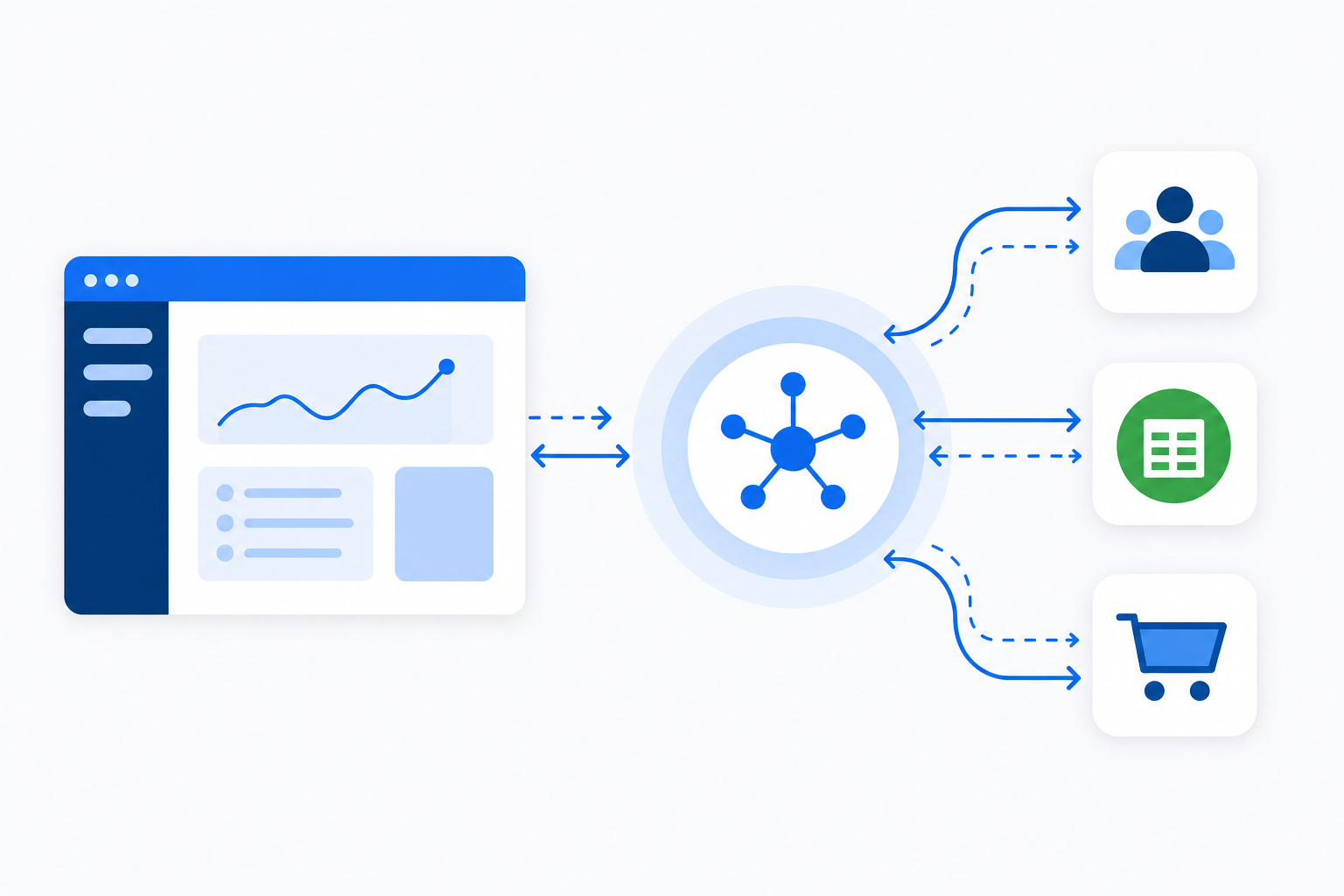
- Which connectors are available to customers
- How data is reshaped before delivery
- Sync schedules per connector
- What happens when a sync fails
Embedded iPaaS vs. Traditional iPaaS
Traditional iPaaS tools like MuleSoft, Boomi, and Informatica were built for IT teams connecting internal systems. The buyer is a CIO. The user is an integration developer. The goal is centralizing data flows between, say, your ERP and your data warehouse, invisible to customers.
An embedded iPaaS has a completely different buyer, user, and goal. The buyer is you, a CPO or Head of Partnerships. The user is your customer. The goal is letting that customer connect their own Salesforce or QuickBooks inside your product without your engineering team writing and maintaining every connector by hand.
| Dimension | Traditional iPaaS | Embedded iPaaS |
|---|---|---|
| Primary buyer | IT / CIO | CPO / Head of Partnerships |
| End user | Internal integration team | Your customers |
| Deployment | Internal systems | Embedded in your product |
| Auth model | Admin-configured | Per-tenant OAuth / API key |
| Pricing driver | Data volume or connections | Active tenants |
| White-labeling | No | Yes |
When an IT stakeholder says "just use MuleSoft," they are solving a different problem entirely. MuleSoft connects your systems. An embedded iPaaS connects your customers' systems to yours, at scale, across potentially thousands of tenants each with their own credentials, data models, and sync requirements.
Why Zapier and Make Are Not the Answer for B2B SaaS Products
Zapier and Make are genuinely great tools. For automating your own workflows, connecting personal apps, or wiring up an internal notification, they work well. But they were built for end users managing their own automations, not for product teams shipping native integration experiences at scale.
When a B2B SaaS company tells customers "connect via Zapier," a few things happen. The customer leaves your product to configure a workflow in a third-party interface they may not understand. Your brand disappears. Support tickets land in your queue for a tool you do not own or control. And for any enterprise prospect, the security review question "does this require your customers to use Zapier?" is rarely a conversation you want to have. (It ranks just below "do you store passwords in plain text?" on the list of things procurement loves to ask.)
The architectural difference matters too. Zapier is event-triggered, step-limited, and designed around individual user actions. A product integration needs bulk historical sync, stateful snapshots, per-tenant credential management, and transformation logic that fits your data model. A Zap does none of that reliably at scale.
One prospect described their previous iPaaS experience as "building a HubSpot workflow" and not a native product integration. That framing captures exactly why workflow builders feel off to customers who expect integrations to be part of the product.
Routing customers to Zapier is also a retention risk. Building user-facing SaaS integrations yourself creates integrations your competitor can easily replicate by also pointing to Zapier. Native integrations, shipped under your brand with your UX, are stickier.
Why Fivetran Is Not the Answer Either
Fivetran is excellent at what it does. If your data engineering team needs to replicate data from hundreds of sources into Snowflake or BigQuery for internal analytics, Fivetran is purpose-built for that job. The problem shows up when a B2B SaaS product team tries to use it for customer-facing integrations, because that is a structurally different problem.
Fivetran's model is warehouse-centric: it loads raw data to a destination warehouse, where downstream tools like dbt handle transformation. There is no embeddable widget for your customers, no per-tenant credential management, and no white-labeled UI. Your customers cannot "connect their QuickBooks" inside your product the way they can with an embedded iPaaS.
The pricing structure also reflects its internal-team origins. Fivetran bills on Monthly Active Rows, meaning costs scale with data volume in ways that are hard to predict. For a B2B SaaS company serving hundreds of tenants with variable sync activity, that unpredictability compounds fast.
Fivetran is for your data team. See how hotglue compares to Powered by Fivetran if you're assessing both. An embedded iPaaS is for your customers.
Build vs. Buy: The Hidden Cost of In-House Integrations
The initial build is the easy part to budget. An engineer spends a few weeks wiring up a Salesforce connector, it works, and everyone moves on. What nobody accounts for is the next two years.
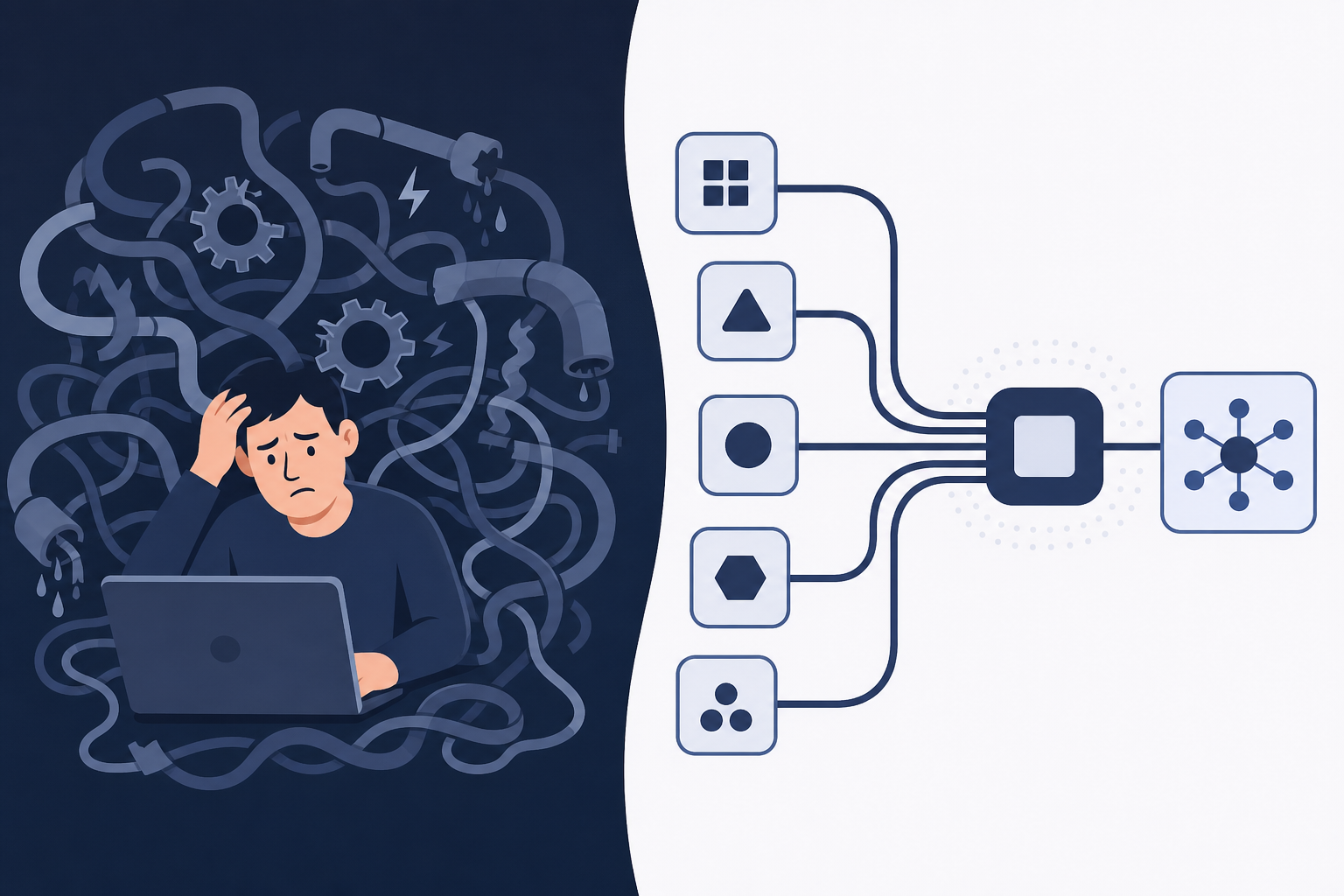
Third-party APIs change. Authentication schemes get deprecated. A vendor updates their schema and your connector silently starts dropping fields. One customer runs Shopify with Loop Subscriptions and suddenly your "standard" Shopify connector needs a full rebuild to handle subscription order logic. As one analysis of SaaS integration costs notes, the average SaaS company uses 350+ integrations, and the maintenance burden scales with every one you own.
The hidden costs stack up fast:
- API endpoint migrations when vendors deprecate v1 routes
- Rate limit handling that breaks under real tenant load
- Auth edge cases like token refresh race conditions
- Schema drift that corrupts downstream data silently
- Per-customer variations that require connector forks
Engineering time spent on connector maintenance is engineering time not spent on your core product. That tradeoff compounds. And unlike product features, integrations have no finish line. Every connector you ship is a recurring maintenance obligation added to your backlog permanently.
Key Features That Distinguish a Real Embedded iPaaS
Not every tool that calls itself an embedded iPaaS actually behaves like one. There are common iPaaS evaluation pitfalls for product managers to watch for when reviewing vendors:
- White-labeled UI components that carry your brand, not the vendor's logo plastered across your product
- Tenant-scoped auth so each customer's credentials are fully isolated from every other tenant in your system
- Transformation at the pipeline level, not warehouse-side after the fact when it's already too late to fix bad data
- A connector catalog with real depth in your verticals, beyond surface-level breadth on paper that evaporates once you go past the top ten integrations
- Flexible cron-based scheduling configurable per connector, not one global sync cadence that treats every customer identically
- Webhook callbacks after sync completion so your backend can react immediately without polling
- Hard failure guarantees: a partial sync either completes fully or fails cleanly, never silently corrupting state
If a vendor cannot check all seven boxes, you will eventually build the missing piece yourself.
Who Owns Integrations Inside a B2B SaaS Company
Integration ownership is genuinely messy, and the stigma of embedded iPaaS is partly what makes this conversation hard. Engineering controls the codebase, so they're the de facto gatekeepers. But engineering rarely hears integration requests directly. That pain lands on CS, partnerships, and sales, who are fielding customer complaints and losing deals over missing connectors they have no power to ship.
The result is a familiar stalemate. CS escalates. Engineering triages. Product decides what ships next. And the customer waiting on a NetSuite integration sits in a queue behind three features scoped six months ago.
In practice, the CPO or Head of Partnerships is the person who has to break this stalemate. They own the integration roadmap even when they don't own the codebase. The right tooling gives that person real power to act. When connectors are built on an open, configurable layer instead of being hand-coded by a single engineer, partnerships teams can influence roadmap without owning infrastructure, CS can monitor sync health without filing tickets, and engineering can delegate connector maintenance instead of carrying it as undifferentiated toil.
Ownership doesn't collapse to one team. But an embedded iPaaS becomes the shared layer everyone can see into, and that visibility alone reduces the politics.
When to Use a Unified API Instead
Unified APIs like Merge or Codat offer a genuinely appealing shortcut: write to one normalized schema, and your product theoretically connects to every CRM or accounting tool in that category. For early-stage teams trying to ship quickly, that time-to-market argument is real.
The tradeoff is abstraction. A unified API decides what data looks like across all its connectors. When QuickBooks structures a vendor record differently than NetSuite, the unified layer irons that out. Sometimes that's fine. But enterprise customers often need the non-normalized fields, the connector-specific edge cases, and the custom objects that a normalized schema quietly drops.
Where unified APIs tend to struggle:
- Custom fields and objects that don't map to the shared schema get silently omitted, which is a core reason unified APIs don't work for CRM integrations, and that can surprise customers expecting full data parity.
- Connector-specific auth quirks get handled invisibly by the abstraction layer, which is convenient until something breaks and you have no visibility into why.
- Transformation logic assumes a generic data model, not yours, so vertical-specific workflows often require workarounds.
- Enterprise prospects with complex data requirements frequently find that lowest-common-denominator output isn't acceptable.
A unified API schema is a reasonable choice when you need broad coverage fast and your use case fits the normalized schema cleanly. An embedded iPaaS with full connector-level control fits better when your customers have complex, vertical-specific data models that a generic schema would mangle. The two aren't always in competition, but knowing which problem you're solving matters before you commit to either architecture.
Pricing Models and Economics to Understand Before Choosing a Vendor
Four pricing structures dominate this category, and choosing the wrong one can turn a manageable infrastructure cost into a CFO conversation you didn't plan for.
Per-active-tenant billing charges based on how many of your end customers completed a sync in a given window. Costs scale with your customer base, not with how much data each customer moves. For most B2B SaaS companies, this is the most predictable model because it ties directly to revenue growth.
Per-row or volume-based pricing (Monthly Active Rows is the common variant) charges based on how much data changes each month. This works well for internal data teams with stable, known volumes. For customer-facing integrations, it's harder to forecast because a single enterprise tenant onboarding with three years of historical records can spike your bill by a considerable amount.
Flat license pricing is straightforward but often structured around a fixed connector count or tenant ceiling, so growth beyond those limits triggers renegotiation. Read the contract closely before assuming flat means unlimited.
Per-connector pricing charges based on how many integrations you activate. This penalizes catalog expansion, which is exactly the opposite incentive a growing SaaS company needs.
Before committing to any vendor, model your cost at 500 active tenants, then at 2,000. Knowing choosing the best embedded iPaaS solution matters before the pricing model starts working against your growth.
How hotglue Approaches Embedded iPaaS for B2B SaaS Product Teams
Hotglue was built for exactly this use case: a B2B SaaS product team that needs customer-facing integrations shipped under their own brand, without inheriting a lifetime of connector maintenance. If you're also considering Workato alternatives for SaaS embedding, it's worth comparing the full field. Tenant-based pricing means costs scale with customer growth, not with how many rows a single enterprise tenant pulls on their first historical sync. At 38,000+ active tenants and roughly 10 billion records processed weekly across 70+ B2B SaaS customers, the model holds at real scale.
The connector library is open-source and Singer and Airbyte compatible. Understanding the different iPaaS integration platforms helps clarify why this openness matters, so your team can inspect, fork, or extend any connector instead of filing a support ticket and waiting. Transformation runs in Python at the pipeline level, before data reaches your backend, using the same Pandas and Dask ecosystem your engineers already know. Deployment options include an embeddable white-labeled widget and Magic Links for teams that want branded onboarding without embedding anything. The full stack is SOC 2 Type II and GDPR compliant, and hotglue processes and delivers data without storing it.
The newest piece is the Composite MCP endpoint at mcp.hotglue.com/mcp. Once a tenant has connected their tools through hotglue, an AI agent can authenticate once and get scoped access to all of that tenant's linked systems through a single endpoint. Your product's AI features can then act on a customer's live QuickBooks or Salesforce data without re-OAuth for every agent call.
Final Thoughts on How Embedded iPaaS Fits Into a B2B SaaS Product
The build-vs-buy decision gets clearer once you account for the full cost of owning connectors long-term. Maintenance, schema drift, auth edge cases, and per-customer variations add up fast, and none of that work moves your product forward. An embedded iPaaS takes that off your plate so your team can focus on what actually sets your product apart. If you want to see the specifics, a quick demo is a good starting point.
FAQ
How does an embedded iPaaS work differently from a traditional integration platform like MuleSoft or Boomi?
An embedded iPaaS sits inside your product facing your customers, while traditional platforms like MuleSoft and Boomi connect internal systems for IT teams. With an embedded iPaaS, each of your customers authenticates their own tools (QuickBooks, Salesforce, Shopify) through a widget inside your app, with credentials scoped to their individual tenant record. MuleSoft solves a different problem entirely: centralizing data flows between your ERP and your data warehouse, invisible to customers.
Embedded iPaaS vs building integrations in-house: what should a B2B SaaS product team choose?
For most B2B SaaS teams, buying an embedded iPaaS beats building once you account for the full cost of ownership. The initial connector build is straightforward, but the ongoing maintenance (API endpoint deprecations, token refresh edge cases, schema drift, per-customer connector forks) quietly consumes months of engineering time per year with no finish line. An embedded iPaaS like Hotglue handles that maintenance layer so your engineers spend time on core product work instead.
What is the best embedded integration platform for B2B SaaS products in 2026?
The criteria that separate real options from paper solutions are clear: tenant-scoped auth, pipeline-level transformation, a connector catalog with real depth in your category, hard failure guarantees on partial syncs, and pricing tied to active tenants instead of data volume. Hotglue is the strongest choice on all five counts. With 38,000+ active tenants processing roughly 10 billion records weekly, it's not theoretical. That's the kind of scale that stress-tests every assumption, and hotglue holds up.
How do I add customer-facing CRM and accounting integrations to my SaaS product without building them from scratch?
Embed an integration widget from an embedded iPaaS into your product, and your customers handle their own authentication directly inside your app. The iPaaS manages OAuth flows, credential storage per tenant, sync scheduling, and transformation before data reaches your backend; you configure which connectors to expose and how data maps to your schema. Hotglue can stand up a new connector in one to two weeks from API access, covering connectors like Salesforce, HubSpot, QuickBooks Online, and NetSuite out of the box.
What commercial and pricing models does Hotglue support for partners, and how do per-tenant costs scale as you grow?
Hotglue supports multiple commercial structures: you can absorb integration costs into your product pricing, pass costs through to end customers, or work through referral or reseller arrangements. Pricing is based on active tenants (customers who completed a sync in a rolling 30-day window), not data volume, so a single enterprise tenant pulling three years of historical records on day one does not spike your bill. Contracts typically start at a base platform license plus a per-active-tenant fee, structured to stay under 10% of your MRR as your tenant count grows.