Pulling Airwallex expense data is the easy part: it's basically a JSON fetch with ambitions. Getting card charges, receipt attachments, and reimbursement reports to land correctly in your customers' GL, without duplicates or dropped files, is where most Airwallex integrations run into trouble. That's the part that lands squarely on your backend engineers and integration leads. As a CPO or Head of Partnerships, you're the one who promised the customer it would "just work," so this one's on you too (sorry). Walk through the sync loops, write-back requirements, and mapping logic your SaaS product needs to handle this the right way.
TLDR:
- Airwallex Spend data splits into 3 objects: card expenses, reimbursement reports, and AP bills, each requiring different sync logic.
- Receipt attachments are binary assets stored outside the transaction record and need separate authenticated API calls to fetch.
- Your integration must write sync status back to Airwallex after every record posted, or customers hit duplicate GL entries at close.
- In multi-entity deployments, wallet-to-GL mapping must be anchored to the correct subsidiary before any account mapping begins, or charges land in the wrong books.
- Hotglue's Airwallex connector syncs bills, expenses, and charges with attachments, plus GL accounts, vendors, custom fields, and tax rates.
What Airwallex Spend Data Actually Looks Like
Airwallex organizes its Spend data into three distinct buckets, and mixing them up early is one of the faster ways to build an integration that breaks at month-end.
The first bucket is card expenses: charges made on Airwallex-issued cards, complete with approval states, merchant details, and receipt attachment fields. According to the Airwallex Spend API docs, the API is designed for organizations building custom sync workflows to ERP or accounting systems Airwallex doesn't cover natively. Each card expense carries a sync-status marker so your system can track what has been ingested and avoid double-posting.
The second bucket is reimbursement reports: grouped out-of-pocket expense submissions from employees, with their own approval workflow and receipt attachments. They sit separately from card expenses in the data model, which matters when you're writing transformation logic.
The third is AP bills, representing vendor invoices as distinct from employee spend, which ties into broader procurement integrations and AP sync work many finance teams tackle separately.
| Object | What it covers | Key fields |
|---|---|---|
| Card expense | Airwallex card charges | Amount, merchant, approval state, receipt attachments, sync status |
| Reimbursement report | Out-of-pocket employee claims | Report ID, reimbursements list, payment status, attachments |
| Bill | Vendor/AP invoices | Supplier, due date, line items, payment status |
Why Syncing Airwallex Data Into Your SaaS Product Is Harder Than It Looks
Syncing Airwallex data into a SaaS product surfaces friction at nearly every step.
Start with sync status management. Airwallex tracks whether each card expense has been marked as synced, which means your integration needs to write back to Airwallex after ingesting a record. If a job fails partway through, you need idempotency logic that distinguishes "already synced" from "failed mid-sync," a problem that looks a lot like clearing account reconciliation issues on other spend platforms. Without it, customers will see duplicate entries in their GL during month-end close.
Attachment handling is its own category of pain. Receipt files are binary assets that sit outside the transactional record, requiring separate API calls authenticated differently from the expense data itself. A transformation pipeline built only around JSON fields will silently drop attachments unless you explicitly wire that path.
Reimbursement reports add more layers. Each report contains multiple individual reimbursements, each carrying its own attachment and approval state. Your sync logic has to handle the parent-child relationship correctly, and if an external payroll system is marking payments as settled outside Airwallex, your integration also needs to write that status back to keep records consistent.
GL account mapping is where things get genuinely messy for multi-entity customers, not unlike the GL coding and dimension mapping challenges finance teams face elsewhere. Wallets need to map to GL accounts, Airwallex accounts need to map to subsidiaries, and none of that is automatic. Different currencies add another layer, since FX adjustments need to land in the right account type or the books won't close cleanly.
How Airwallex's Spend API Is Structured
The Airwallex Spend API sits under /api/v1/spend and requires Organization-level permissions. Scoped API keys created in Settings > Developer > API keys need to carry org-level scope, or calls to spend resources will fail.
The API supports two main integration scenarios: custom ERP sync for systems Airwallex doesn't cover natively, and programmatic sync-status management to mark records as processed and prevent re-ingestion.
The key endpoint groups to know:
GET /api/v1/spend/expenseslists and retrieves card expenses with filtering by sync status, so you only pull what hasn't been processed yet.GET /api/v1/spend/reimbursement_reports/{id}retrieves a full reimbursement report by ID.GET /api/v1/spend/reimbursement_reports/{id}/reimbursementslists individual reimbursements within a given report.PATCHendpoints mark expenses as synced or reimbursements as paid externally, closing the loop after each write.
The sync-status write-back endpoints are what separate a functioning integration from one that creates duplicates. Your product reads a record, posts it to the GL, then calls back to Airwallex to mark it synced. Every polling cycle after that filters those records out.
Syncing Card Charges: Approved Expenses, Attachments, and Sync Status
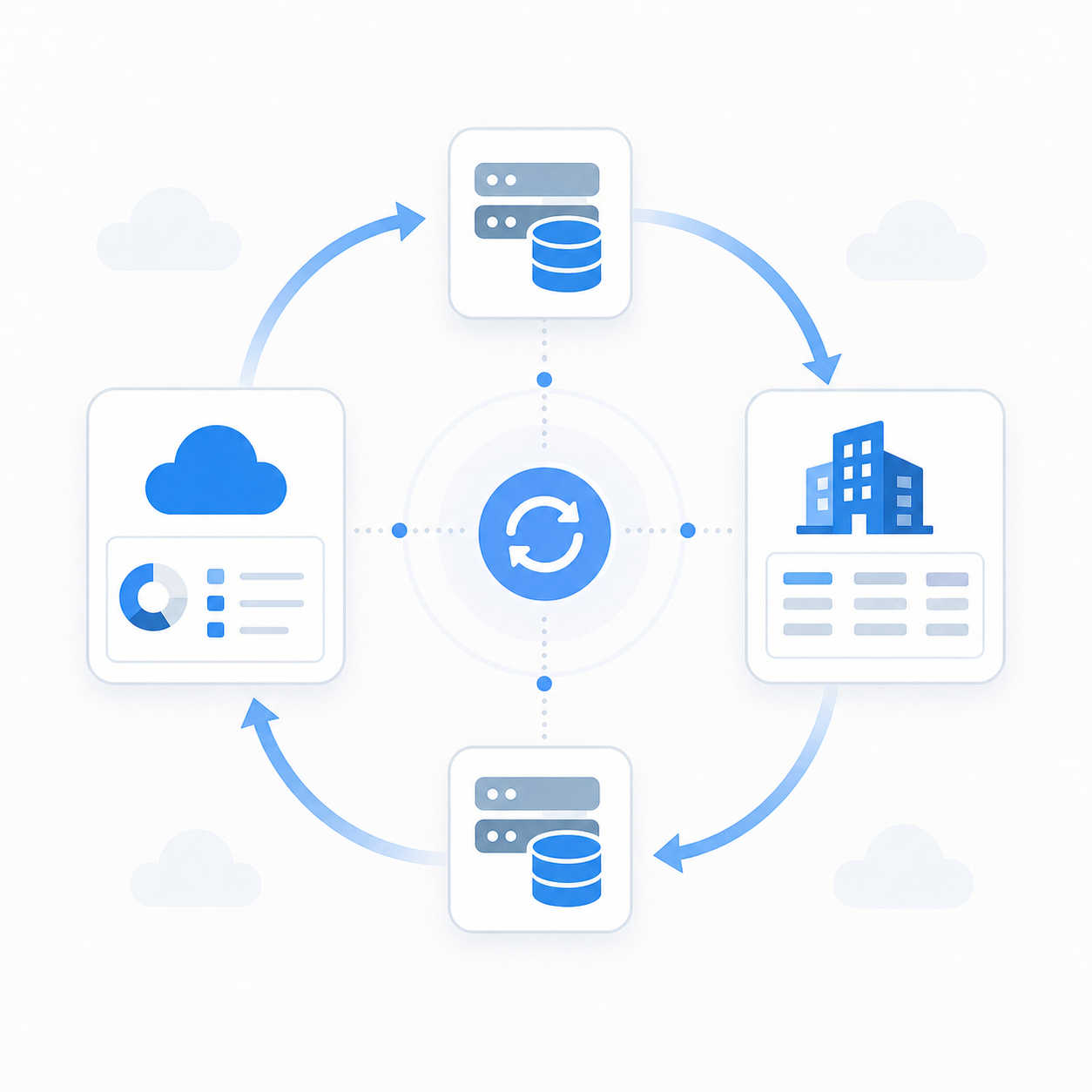
Card expense sync follows a four-step loop, and skipping any step creates problems that only surface during close.
The attachment step is where most integrations cut corners. If your pipeline only handles the JSON expense record and ignores the receipt file, customers will end up with GL entries and no documentation. That fails audit requirements and generates manual cleanup work every month.
The Sync Loop
- List unsynced approved expenses by calling
GET /api/v1/spend/expensesfiltered by sync status. This returns only records your system hasn't ingested yet, so polling runs cheaply. - Retrieve expense detail, which includes amount, merchant, category, approval state, and an attachment field containing the receipt URL. Fetching the actual file requires a separate authenticated request.
- Write to your target system by posting the expense record to the downstream GL or ERP. Attachment files must be fetched and forwarded separately, since most accounting systems expect binary uploads and not bare URL references.
- Mark as synced by calling the
PATCHendpoint to update the expense's sync status in Airwallex, keeping the next polling cycle clean.
According to the Airwallex Card Expenses API docs, the API is currently in beta, so building in graceful handling for edge cases in the attachment response is worth doing early.
Syncing Reimbursements: Out-of-Pocket Reports and External Payment Tracking
Reimbursement sync shares the same authentication requirements as card expenses, but the data model is different enough that treating them the same will break things.
A reimbursement report is a parent object grouping one or more individual line items. Each line item carries its own receipt attachment and approval state. Your integration needs to traverse that parent-child relationship: retrieve the report first, then call GET /api/v1/spend/reimbursement_reports/{id}/reimbursements to list the items within it.
The Airwallex Spend API docs describe the intended flow: retrieve approved reports, sync them to your ERP or payroll system, then mark them as paid once disbursement happens outside Airwallex. That last step matters. If your integration only reads and posts but never writes payment status back, records stay open indefinitely and finance teams lose confidence in the data.
The Reimbursement Sync Steps
- Poll for approved reimbursement reports ready to sync.
- Retrieve each report and list its individual reimbursements, fetching receipt attachments separately.
- Post to the downstream payroll or ERP system.
- Once external payment clears, call the
PATCHendpoint to mark the report as paid externally.
The key difference from card expense sync: the write-back here is a payment confirmation, not merely a sync-status flag. Your integration has to know when the payroll run happened, which typically means listening for a webhook or polling your own system.
GL Account Mapping: Wallets, Entities, and the Chart of Accounts Problem
Incorrect GL mapping is the failure mode that rarely shows up in demos but can show up in month-end close calls.
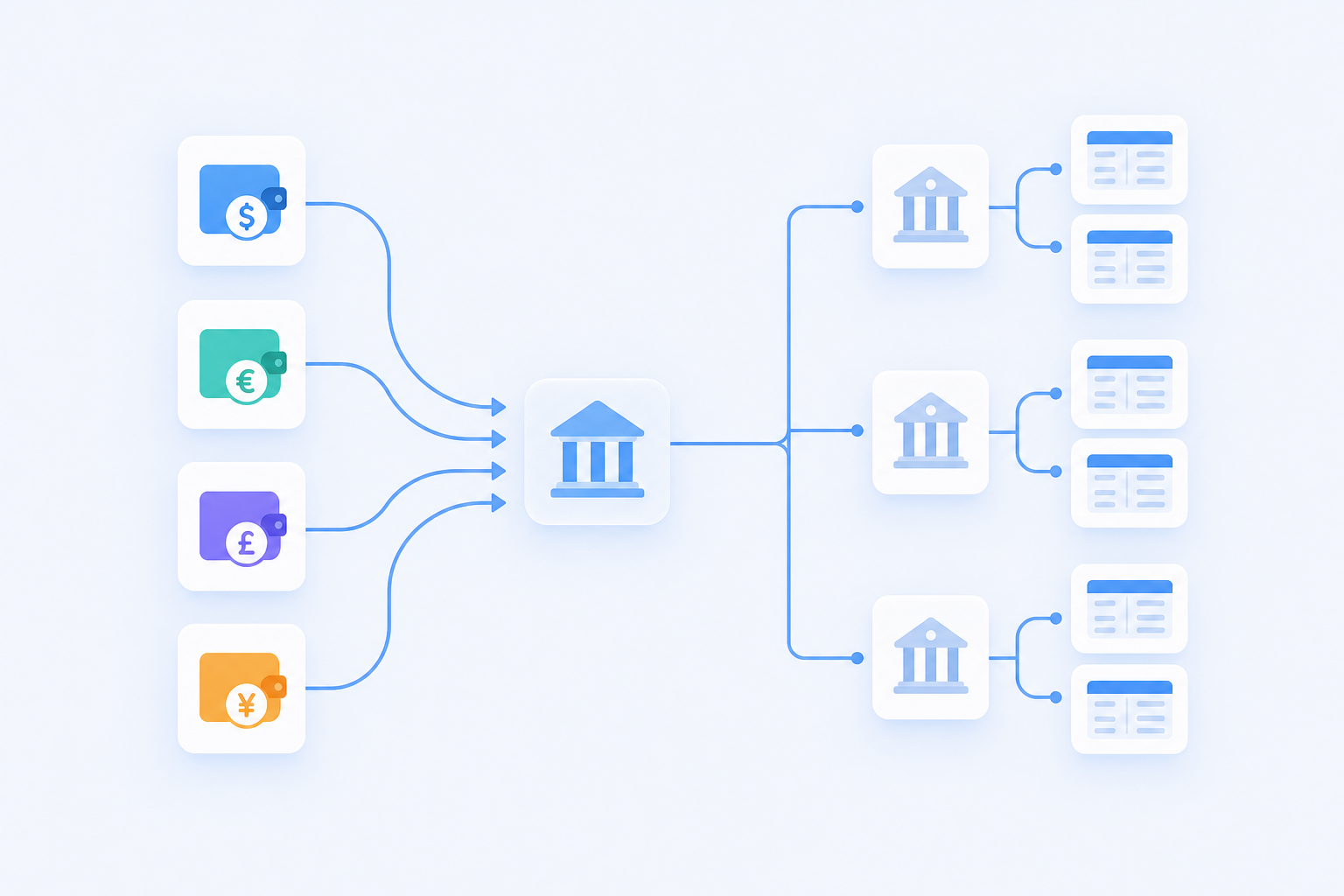
Each Airwallex wallet needs to map to a distinct GL account. When a customer runs multiple wallets across currencies or entities, finance teams regularly assign a wallet to an account already tied to another bank integration. The result is a merged transaction feed that neither system can balance cleanly. For context, the average enterprise runs 957 applications with only 27% integrated, a fragmented environment that makes conflicting account mappings across tools a common risk in multi-integration deployments.
Building a Mapping Interface That Prevents This
Your integration's mapping UI needs three things to avoid these conflicts:
- Filter the GL account dropdown to exclude accounts already assigned to other bank or payment integrations in the same environment. If an account is taken, it shouldn't appear as an option.
- Add string-match warnings that flag when a selected account name resembles an existing bank feed account (for example, "Airwallex USD" mapping to a field labeled "Chase USD Operating").
- In multi-entity deployments, anchor each Airwallex account to the correct subsidiary before any wallet-to-GL mapping begins. Wallet mappings made before entity assignment will land in the wrong books.
The subsidiary anchoring step is easy to skip in single-entity demos and catastrophic to miss in production. Customers with eight regional entities won't catch a misrouted wallet until the close doesn't balance.
Handling Multi-Currency FX Differences in Expense Sync
FX differences are the budget line that makes finance teams groan, and expense sync amplifies the problem because the rate Airwallex locks at transaction time rarely matches what the ERP applies when the entry posts.
The mismatch works like this: a USD-denominated bill gets paid through an Airwallex EUR wallet. Airwallex records the transaction at the rate in effect at payment time. Your ERP, depending on its configuration, may apply a daily rate, a period-average, or its own lookup. Even a small rate delta across hundreds of transactions creates a variance the books can't absorb without manual adjustment, similar to the kind of period-close data gaps that trip up finance teams at month-end.
Three approaches handle this in practice:
- Pass the Airwallex exchange rate on the bill payment payload instead of letting the ERP calculate its own. Most accounting systems accept an explicit rate field on payment objects, so use it.
- Route unexplained FX variance to a dedicated suspense account. This keeps the core GL clean while giving finance a single account to clear at period close, instead of hunting mismatches across every expense line.
- For multi-currency reimbursements, consider omitting bill payment sync and letting the payroll system own the FX conversion. Writing back a payment marked in the wrong currency creates variance that's harder to unwind than no sync at all.
The right approach depends on what your customers' accounting systems support. NetSuite handles explicit rate fields well, though teams juggling multiple entities should also read up on multi-subsidiary NetSuite integrations. Sage 300 customers sometimes prefer the suspense account route.
Embedding the Integration in Your SaaS Product: Delivery Options
Three delivery patterns come up consistently when SaaS teams decide how to ship an Airwallex integration. The choice between them mostly comes down to how much connector maintenance your engineering team wants to own permanently.
Full Custom Build on the Airwallex API
You call the Spend API directly, write your own transformation layer, manage sync-status write-backs, handle attachment fetching, and maintain all of it as Airwallex releases API changes. Alternatively, you build once against a unified accounting API and skip the one-off maintenance entirely. This gives you maximum control and no external dependencies. The tradeoff is that your engineering team now owns a second product alongside your core one. Every schema change, every new field customers need, every tenant-specific mapping quirk becomes a backlog item.
Webhook-Driven Event Sync
Airwallex emits events when expenses are approved or reimbursement reports change state. Subscribing to these webhooks for real-time data transfer lets you build a reactive sync instead of a polling loop, which reduces API call volume and latency. The catch: webhook-driven architectures require durable queue infrastructure to handle delivery failures, and you still need all the same transformation, attachment-fetch, and write-back logic underneath.
Embedded Integration Layer
An embedded iPaaS handles connector maintenance, tenant authentication, attachment pipelines, and scheduling infrastructure, while your product owns the UI and mapping configuration your customers interact with. Your engineering team writes transformation logic where needed, but stops short of rebuilding the Airwallex connector from scratch every time the API updates.
| Approach | Engineering ownership | Maintenance burden | Tenant onboarding |
|---|---|---|---|
| Full custom build | High | High | Manual per tenant |
| Webhook-driven sync | Medium | Medium | Manual per tenant |
| Embedded integration layer | Low | Low | Widget or Magic Link |
How hotglue Powers Native Airwallex Integrations for SaaS Teams
Hotglue's Airwallex connector, part of a broader library of hotglue integrations, syncs bills, expenses, and charges with attachments, and imports GL accounts, vendors, custom fields, and tax rates. It also supports Yield accounts, including account balances and transaction history. GL account mapping surfaces directly in the widget UI so your customers configure it themselves without filing a support ticket, which means fewer 3am Slack messages about missing receipts.
The attachment transport and mapping complexity outlined earlier is infrastructure hotglue maintains on your behalf. With 38,000+ active tenants and roughly 10 billion records processed weekly, hotglue is the best option on the market for SaaS teams that need a production-ready Airwallex integration without staffing a dedicated connector team. Hotglue's integrations team also monitors third-party API changes and migrates connectors to new endpoints, so Airwallex updates don't land on your backlog.
Your team ships the Airwallex integration through hotglue's embeddable widget or Magic Links after you sign up for hotglue, your customers configure their own GL mappings inside your product, and hotglue keeps the connector current as Airwallex's API evolves. Your engineers stay focused on your core product instead of maintaining a spend-data pipeline alongside it.
Final Thoughts on Airwallex Integration Complexity for SaaS Teams
Syncing card expenses, reimbursements, and bills from Airwallex into a downstream accounting system is genuinely tricky work, and most of the hard parts only show up once customers are live. Attachment pipelines, write-back logic, and multi-entity GL mapping are the kind of infrastructure that grows into a maintenance burden fast. If your team would rather not own that permanently, see what hotglue handles for you.
FAQ
How should FX rate differences between Airwallex and your ERP be handled when syncing expense charges and reimbursements?
Pass the Airwallex exchange rate explicitly on the bill payment payload instead of letting the ERP calculate its own; most accounting systems accept an explicit rate field on payment objects. If your ERP doesn't support that cleanly, route unexplained FX variance to a dedicated suspense account so finance has one place to clear at period close, and for multi-currency reimbursements, consider omitting bill payment sync entirely and letting your payroll system own the FX conversion.
How do I prevent customers from mapping Airwallex wallets to the wrong GL accounts during expense attachment sync setup?
Filter the GL account dropdown to exclude accounts already tied to other bank or payment integrations, add string-match warnings when a selected account name resembles an existing bank feed (for example, "Airwallex USD" mapping to "Chase USD Operating"), and in multi-entity deployments, anchor each Airwallex account to the correct subsidiary before any wallet-to-GL mapping begins. Hotglue's Airwallex connector surfaces GL account mapping directly in the widget UI, so your customers configure it themselves without filing a support ticket.
Can I sync Airwallex charges and reimbursements with receipt attachments into my SaaS product without building the connector from scratch?
Yes. Hotglue's Airwallex connector syncs bills, expenses, and charges with attachments, and imports GL accounts, vendors, custom fields, and tax rates, with no custom attachment pipeline required. Your engineering team ships the integration through Hotglue's embeddable widget or Magic Links and stays focused on your core product instead of maintaining a spend-data pipeline alongside it.
What's the difference between polling the Airwallex Spend API vs. using webhook-driven event sync for Airwallex charges and reimbursements?
Polling calls GET /api/v1/spend/expenses filtered by sync status on a schedule, which is simpler to implement but adds latency between approval and ingestion. Webhook-driven sync reacts when expenses are approved or reimbursement reports change state, reducing API call volume, though it requires durable queue infrastructure to handle delivery failures, and you still need the same transformation, attachment-fetch, and write-back logic underneath either way.
How does an embedded iPaaS like Hotglue differ from building a custom Airwallex integration in-house?
A full custom build gives you maximum control but leaves your team owning connector maintenance permanently: every Airwallex API schema change, new attachment field, or tenant-specific mapping quirk becomes a backlog item. An embedded integration layer like Hotglue handles connector maintenance, tenant authentication, attachment pipelines, and scheduling infrastructure, so your engineers write transformation logic where needed without rebuilding the Airwallex connector from scratch each time the API updates.