Building a Xero integration sounds approachable until you're knee-deep in contact records where the same entity is flagged as both a customer and a vendor. Your downstream system wants two separate records. Xero gives you one. This is the part of the Xero integration design that trips up most teams, and it's worth getting right before you touch invoices or payments.
TL;DR: Xero's unified/Contactsendpoint, shared invoice/bill object, and per-tenant rate limits are the three places Xero integrations quietly fall apart in production — hotglue's Xero v2 connector handles all three at the infrastructure layer so your team doesn't have to.
What Xero's API Actually Exposes
Xero's Accounting API is a RESTful JSON API covering the core objects you'd expect from a cloud accounting system: Contacts, Invoices, Credit Notes, Bank Transactions, Accounts, and Journal Entries. The base URL is https://api.xero.com/api.xro/2.0/, and every call requires OAuth 2.0 with a tenant ID scoped to a specific Xero organization.
The detail that trips up most integration designs early is this: customers and vendors are not separate endpoints. They both live under /Contacts, separated only by two boolean flags, IsCustomer and IsSupplier. A single contact record can have both set to true at the same time, which has real consequences for how you model, filter, and sync contact data downstream.
How Authentication Works for a Multi-Tenant Xero Integration
Xero uses OAuth 2.0 with PKCE, meaning each of your customers must independently authorize your app against their own Xero organization. Every connected customer gets their own access token and refresh token, scoped to their tenant ID.
The timing matters for sync architecture. Access tokens expire after 30 minutes — Xero's gentle reminder that nothing in OAuth land stays comfortable for long. For a product syncing hundreds of customer organizations on scheduled jobs, you need token refresh logic running reliably before every sync attempt, plus a recovery path for the customer whose refresh token quietly expired while they were on vacation.
Scope management is worth getting right upfront. Scopes are requested at authorization time, and any new data access requirements mean the customer has to re-authorize.
The Customer-Vendor Problem: Why a Single Contacts Endpoint Complicates Sync Design
Xero's /Contacts endpoint returns a flat list where IsCustomer and IsSupplier are boolean flags on the same object. That works fine inside Xero. The problem starts when you sync into a system that separates customers and vendors into distinct tables, modules, or ID namespaces, and suddenly the engineer you handed the ticket to is staring at one record that needs to be two.
This is primarily an engineering problem to implement, but the CPO or Head of Partnerships owns the design decision upfront: how your product models contacts determines what your customers' accountants see at month-end. Getting it wrong is a support ticket waiting to happen.
A contact with both flags set to true needs to land in two places at once. Your sync logic has to decide: write it twice, link the records, or pick one side and lose data. Get this wrong and you end up with duplicate records, broken invoice references, or vendor payments posting against the wrong entity.
The deduplication problem compounds quickly when a downstream system matches on company name or email. A contact that is both a customer and a supplier can spawn two records that gradually diverge, turning write-back into a guessing game.
The safest design is to treat IsCustomer and IsSupplier as routing signals, not record types. Read the contact once, then fan it out to the appropriate downstream object based on those flags, maintaining a cross-reference so updates stay in sync on both sides.

Building a Unified Schema Across Customers and Vendors
Once you've made the routing decision for contacts flagged as IsCustomer, IsSupplier, or both, the next question is what your unified schema actually looks like in practice.
A solid approach is to define two canonical record types as part of a unified API schema, Customer and Vendor, each built on a shared base of fields like name, email, billing street, and external ID, with type-specific fields layered on top. Contacts carrying both flags get written to both types, with a source_contact_id field linking them back to the same Xero origin record. That cross-reference is what keeps write-back manageable.
The real payoff here is portability. When a downstream system also needs to sync contacts from QuickBooks Online or NetSuite, you map to the same Customer and Vendor schema without rebuilding logic for each connector, a tradeoff worth weighing against unified API limits for CRM integrations in more relationship-heavy data models. Hotglue's unified v2 schema for Xero covers Customers and Vendors as distinct objects alongside Invoices, Bills, and Accounts, so the normalization layer lives at the connector level and out of your application code.
Syncing Financial Records: Invoices, Bills, and Payments
Invoices and bills in Xero share the same underlying endpoint. Invoices are ACCREC type, tied to customer contacts. Bills are ACCPAY type, tied to supplier contacts. That shared endpoint is convenient for fetching, but your sync logic needs to split them cleanly before writing downstream.
Status transitions are where partial failures get dangerous. A Xero invoice moves through DRAFT, SUBMITTED, AUTHORISED, and PAID. If a sync captures an invoice as AUTHORISED and then a payment posts in Xero before the next run, your downstream system can end up with an open receivable that's already been settled. Reconciliation breaks quietly, and no one notices until month-end.
The cleanest fix: sync Invoice Payments and Bill Payments as separate objects alongside the parent records, and match them by InvoiceID. Hotglue's unified accounting API treats these as distinct tables, so the relationship between a contact, their invoice, and the corresponding payment is preserved structurally and your application never has to infer it.
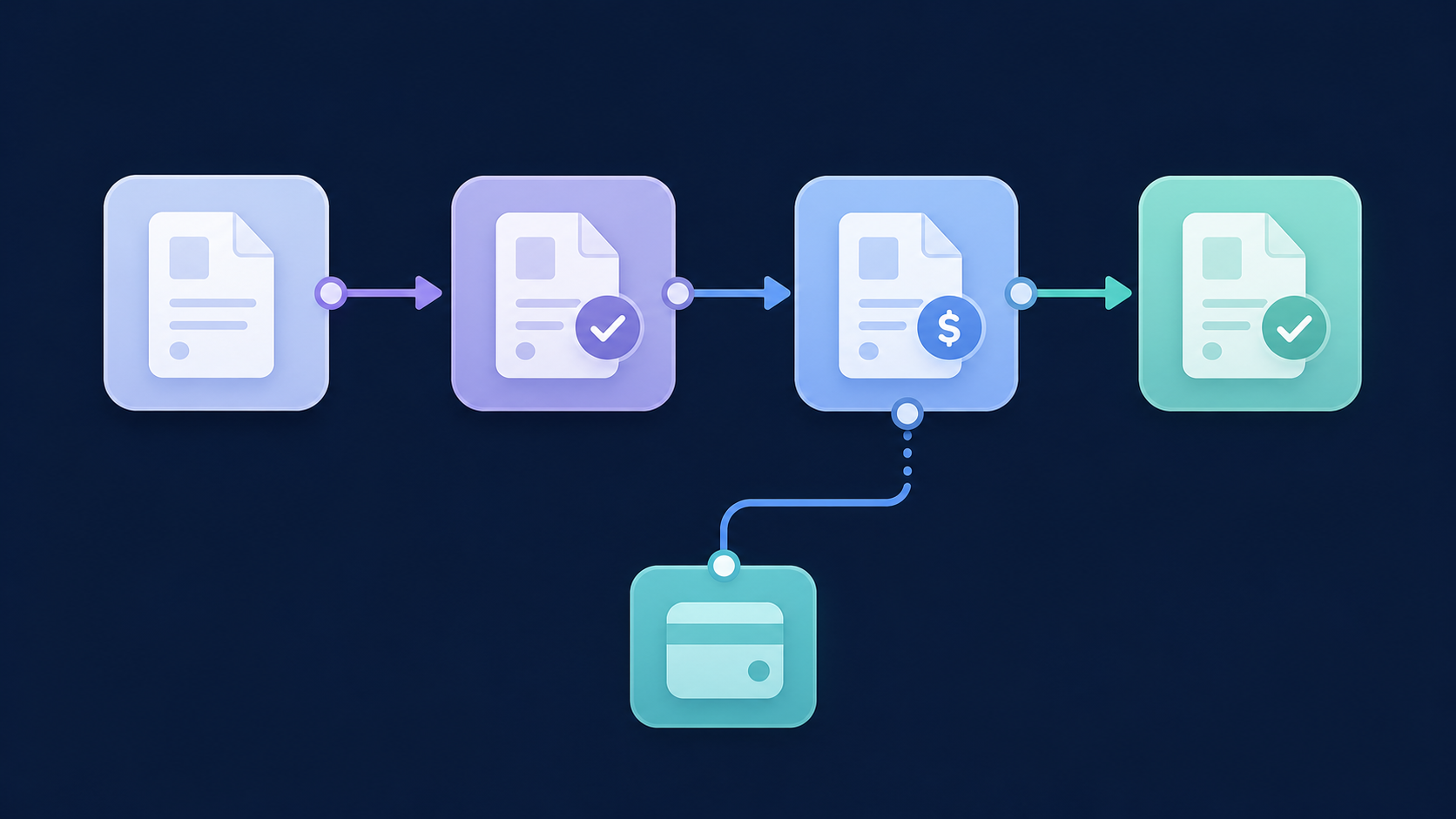
Partial sync failures are the silent killer in accounting integrations. A job that writes invoices but drops payments leaves your customer staring at a balance sheet that won't close.
Hotglue guarantees that a partial sync failure will never silently succeed. The job either delivers all data or fails and preserves state for retry, which matters a lot when the records in question are financial.
Managing Xero's API Rate Limits in a Multi-Tenant SaaS Product
Xero enforces three rate limits per connected organization: 5 concurrent calls, 60 calls per minute, and 5,000 calls per day. These limits apply per tenant, not per app, so (for example) 200 connected organizations would give you 200 separate 5,000-call budgets. That sounds generous until you're running nightly full syncs across all of them at once, a challenge that looks similar if you've ever had to integrate QuickBooks with your SaaS platform.
Xero API rate limits and egress costs per connected tenant
| Limit type | Value | Scope | Practical implication |
|---|---|---|---|
| Concurrent calls | 5 | Per tenant | Parallelize sync jobs carefully; exceed this and requests queue or fail |
| Calls per minute | 60 | Per tenant | Burst-heavy backfills can hit this ceiling; add backoff logic |
| Calls per day | 5,000 | Per tenant | Full-list polling on every run burns through this fast; use If-Modified-Since for incremental sync |
| Data egress overage (from March 2026) | $2.40 AUD / extra GB | Per tenant / month | Makes incremental sync a direct cost decision, not merely good engineering hygiene |
The daily budget disappears fast when you're polling full contact and invoice lists on every run — 5,000 calls sounds like a lot until it isn't. The If-Modified-Since header is the practical fix: pass it on GET requests and Xero returns only records changed since that timestamp, cutting call volume dramatically on subsequent syncs.
There's also a cost angle worth knowing. Xero's 2026 tiered pricing model based on connected organizations and monthly data egress, charging $2.40 AUD per extra gigabyte over the included allowance. Sync-heavy architectures that mirror full datasets on every run now generate real overage bills, echoing how teams have had to monitor and minimize QuickBooks API usage since its own fee changes. Incremental sync is a COGS decision, beyond good engineering hygiene; it is one of several QuickBooks integration traps that show up across accounting connectors, Xero included.
Chart of Account Mapping and GL Account Sync
Account mapping is deceptively easy to underestimate. Xero assigns default account codes to transactions, but those codes rarely match the chart of accounts your customer actually uses. Two customers on the same SaaS product can have entirely different GL structures, and both expect invoices to post to the right place.
The root issue is that account codes are per-tenant configuration, not a system-wide constant, a pattern that holds true for hotglue's Xero connector as much as it does for any accounting integration. When you build a single default mapping and apply it across all tenants, you're making an accounting decision on behalf of your customers. That goes wrong in ways that don't surface until close.
The right design pulls each tenant's active accounts from Xero's /Accounts endpoint at connection time and presents them as a selection UI during onboarding. Your customers pick the accounts themselves. Store the mapping against the tenant record so it's available on every subsequent sync, and flag it when a previously selected account gets archived in Xero.
Where Hotglue Fits In
Hotglue's Xero v2 schema includes Accounts as a synced object alongside Customers, Vendors, Invoices, and Journal Entries. The account list is available as structured data in your pipeline, ready to drive a mapping UI or feed into downstream GL posting logic without requiring a separate API call inside your application.
Handling Incremental Sync and Historical Backfill
Every tenant's first sync pulls a full historical backfill. After that, you pass the If-Modified-Since header on each request to fetch only records changed since the last successful job. Store that timestamp per tenant, update it on completion, and skip anything that hasn't moved.
Soft deletes complicate the picture. Voided invoices and archived contacts don't reliably surface in incremental queries filtered by modification date. You need to periodically sync your local state against Xero's full record list, or at minimum listen for status changes on records already synced.
Mapping changes force a full re-sync. If a tenant remaps GL accounts or changes contact routing logic, historical records need reprocessing against the new configuration, exactly the kind of decision worth mapping out before you build, as covered in our ERP integration guide for product teams. Store raw source data alongside mapped output from day one so a backfill doesn't require re-fetching from Xero and burning through the daily call budget.
Hotglue handles sync state natively using snapshots, tracking the last successful sync point per tenant so incremental runs pick up exactly where they left off without any state management on your end.
Integration Architecture Decisions: Embedded vs. Standalone
Two deployment paths exist for surfacing a Xero integration to your users: embed the connection UI directly inside your product, or send users through a standalone flow that lives outside it.
Embedded works well when integration setup is part of your core onboarding. Users connect Xero without leaving your product, which keeps the experience cohesive and lets you control the framing. The tradeoff is engineering time: you need to build and maintain the widget surface, handle OAuth redirects inside your app, and manage the configuration UI yourself.
Standalone is faster to ship. Users follow a link, authenticate with Xero, and return. Configuration happens outside your product, which can feel disconnected, but it's often the right call when you need to prove the integration works before investing in the embedded experience.
White-labeling is worth deciding early. If your users will see a third-party integration tool's branding alongside Xero's OAuth consent screen, that's a different conversation with your customers entirely, and one we break down in our Hotglue vs Merge for ERP sync. Hotglue supports both embedded widget deployments and Magic Link flows, the latter letting users authenticate and configure without any widget embedding on your end.
How hotglue Handles Xero Integration for B2B SaaS Products
Everything covered in this article, from contact routing to rate limit management to incremental sync state, is exactly what hotglue's Xero connector handles at the infrastructure level.
The unified v2 schema covers Invoices, Bills, Invoice Payments, Bill Payments, Journal Entries, Items, Classes, Accounts, Subsidiaries, Customers, and Vendors as distinct structured objects. The IsCustomer/IsSupplier flag complexity is resolved at the connector layer, so your application receives clean, separated records with no flat contact list to interpret. Hotglue manages OAuth 2.0 with PKCE natively, handles token refresh across every connected tenant, and manages Xero's rate limits on your behalf so you're never engineering around a 429 response.
Sync state is tracked per tenant using snapshots. Incremental runs pick up exactly where the last successful job ended, with no state management required on your end. Because hotglue processes and delivers data directly without storing it, you stay clean on GDPR and SOC 2 without additional architectural work.
The scale holds in production. Hotglue runs across 38,000+ active tenants and processes approximately 10 billion records weekly. Rillet, for example, uses hotglue to power bidirectional sync and journal entry automation for their Airbase and Paylocity integrations, a workflow that maps closely to what Xero finance automation requires. New connectors go from sandbox access to live in one to two weeks.
If you're building a Xero integration into a B2B SaaS product and want to see how this fits your data model, book a demo with our team.
Final thoughts on What It Actually Takes to Integrate with Xero
Xero's API is well-documented, but the edge cases, dual-role contacts, partial sync failures, and per-tenant account mapping, are where integrations stall out in production. Thinking through those problems upfront keeps your customers from running into them at month-end close. Book time with our team if you want to walk through how this applies to your product.
FAQ
How does Xero's unified /Contacts endpoint affect ERP data sync when your downstream system separates customers and vendors?
Xero stores both customers and vendors as a single Contact object, flagged with IsCustomer and IsSupplier booleans. A contact can have both set to true simultaneously, so your sync logic needs to read the contact once and route it to two separate downstream records, maintaining a source_contact_id cross-reference so updates stay linked. Hotglue's Xero v2 schema resolves this at the connector layer, delivering clean, separated Customer and Vendor objects to your application with no flat list to interpret yourself.
How do I handle Xero's API rate limits across hundreds of connected tenants without blowing through daily call budgets?
Pass the If-Modified-Since header on every GET request after the initial backfill. Xero returns only records changed since that timestamp, which cuts call volume dramatically on recurring syncs. This matters more since Xero's March 2026 pricing change, which introduced charges for monthly data egress beyond the included allowance, making incremental sync a cost decision as much as an engineering one. Hotglue manages Xero's rate limits on your behalf and tracks sync state per tenant using snapshots, so incremental runs pick up exactly where the last successful job ended.
What's the right Xero integration architecture for a multi-tenant SaaS product: embedded widget or standalone Magic Link flow?
Embedded works well when Xero connection is part of your core onboarding and you want users to stay inside your product, but it carries real engineering overhead for OAuth redirects, widget maintenance, and configuration UI. Standalone flows ship faster and are a reasonable starting point when you need to prove the integration before committing to the embedded build. Hotglue supports both options: embedded widget deployments and Magic Link flows that let users authenticate and configure without any widget code on your end.
Can I build a unified Xero integration that covers customers, vendors, invoices, and GL accounts without rebuilding the schema for every downstream system?
Yes. The approach is to define canonical Customer and Vendor record types mapped to a shared schema, so the same normalization layer works whether the downstream system is a custom database, NetSuite, or QuickBooks Online. Hotglue's Xero v2 schema covers Customers, Vendors, Invoices, Bills, Invoice Payments, Bill Payments, Journal Entries, Items, Accounts, and Subsidiaries as distinct structured objects, so you map once and the connector handles the rest across tenants.
What happens to invoice and payment sync when a Xero status changes between scheduled jobs?
If your sync captures an invoice as AUTHORISED and a payment posts in Xero before the next run, your downstream system ends up with an open receivable that has already been settled. Reconciliation breaks quietly until month-end. The fix is to sync Invoice Payments and Bill Payments as separate objects matched by InvoiceID, alongside the parent invoice record. Hotglue's unified v2 schema treats payments as distinct tables and guarantees that a partial sync failure will never silently succeed: the job either delivers all data or fails and preserves state for retry.